Looking for a good deal on an iPhone in the Philippines? You’re not alone. New iPhones are expensive here (often even pricier than in the US), so the used market is huge. Filipinos frequently sell their old gadgets through bazaars (Greenhills Tiangge), electronics malls, and online marketplaces.
This PH-only guide will teach you exactly how to buy a used iPhone safely: from what to check (IMEI, iCloud lock, battery health, etc.) to finding reputable sellers. We also cover trade-in/swap programs (“apple swap iphone philippines”), and compare new vs used models with local examples. For instance, a fresh iPhone loses a huge chunk of value as soon as you unbox it – roughly 50–60% in the first year globally – so buying used can save you a bundle. Read on for this very detailed, step-by-step guide!
New iPhone vs Used iPhone
New iPhone Pros: Brand-new iPhones in PH guarantee the latest features (faster chip, new camera tech, etc.) plus official Philippine warranty. Official retailers often run promos: for example, Beyond the Box offered around ₱6,000 off on a cash purchase of any iPhone 15 model. Carriers like Globe, Smart, and DITO bundle postpaid plans or freebies (cases, chargers) with new phones. You’ll also avoid hassles like unlocked/locked issues since new units are sold unlocked or with official SIM-lock contracts.
New iPhone Cons: The big drawback is price. Philippine SRPs for iPhones have always been high due to taxes and import costs. Even with discounts, a flagship iPhone can cost well over ₱50K. Plus, iPhones depreciate quickly: after one year, an iPhone 15 (128GB) loses about 59% of its value in good condition, so you’d be losing a lot if you buy new and resell later. Some new models (especially DITO or carrier offers) might be locked to a network for a period
Used iPhone Pros: Buying used can save you tens of thousands of pesos. For example, if an iPhone 15 Pro Max is ₱80K new, a 1-year-old unit in good shape might sell for ₱50K or les,s depending on condition and warranty left. Used buyers can get last year’s model at a fraction of the original price. Filipino resale culture means lots of options: malls like Greenhills or Glorietta have shops selling second-hand iPhones; online platforms like Facebook Marketplace, Carousell (formerly OLX), and Shopee/Lazada (official or gray markets) list hundreds of used phones. You can haggle, pay cash, and immediately walk out with the phone – no waiting for shipping or pre-orders.
Used iPhone Cons: There are more risks. No official Apple warranty if it’s out of the 1-year coverage or if AppleCare has lapsed. The phone may have hidden issues (water damage, worn battery, non-original parts). Carriers may have blacklisted it if stolen. You must vet the seller. And Philippines-specific quirks apply: some used iPhones come with altered software (e.g., foreign market firmware), or have no charger/box. Moreover, the local grey market has “BYP” or “BT” phones (often meaning unofficially unlocked or transferred units), which can be problematic.
10 Things to Check Before Buying a Used iPhone
Buying a used iPhone safely means inspecting everything carefully. Here are the top 10 checks:
- Check Your IMEI/Serial Number: Dial *#06# or go to Settings > General > About to retrieve your IMEI and serial number. Confirm these match any box or receipt. Use an online checker (e.g., Apple’s warranty/coverage checker) to ensure the IMEI is valid and not flagged. PH carriers (Globe/Smart) share blacklists of stolen phones; although there is no official public check, some third-party sites attempt to provide it. (If the seller refuses to show IMEI info, that’s a red flag.)
- Activation Lock / iCloud Status: Make sure the phone is signed out of the previous owner’s iCloud/Apple ID. Go to Settings > [name] > Find My – if it says Find My iPhone: On ,request that they turn it off by entering their Apple ID password. Alternatively, try to erase the phone: Settings > General > Reset > Erase All Content and Settings. If it asks for the previous owner’s Apple ID, and it’s Activation Locked? Never buy an iPhone that still has Activation Lock (iCloud lock) enabled.
- Battery Health: In Settings > Battery > Battery Health, check the Maximum Capacity percentage. New phones start at 100%. Anything above ~85% is generally OK for a year-old phone; anything below ~80% may indicate heavy use or need for replacement soon. (Apple’s official guide notes you can find “Battery Health” info under Settings.) If the seller won’t show you the battery health screen, consider it suspicious.
- Physical Condition: Inspect every side of the phone. Look for dents on the aluminum/steel frame, scratches on the screen or back glass, and any separation of edges. Check the corners and camera bump carefully. Visually inspect the screen when it’s both off and on – ensure no dead pixels, discoloration, or cracked glass under the display. Also, press the screen corners and buttons to confirm touch response and haptic feedback.
- Water Damage Indicators: iPhones have internal Liquid Contact Indicators (LCIs) that turn red if water-damaged. Ask the seller to open the SIM tray and check if the tiny white sticker inside is red. If it’s red, the phone has been in water or high humidity – a big risk.
- Genuine Parts (Screen, Back, Battery): Ask if any repairs have been done. If the screen or back glass was replaced, “True Tone” (auto color balance) may be disabled. You can test True Tone by going to Settings > Display and toggling it on/off while watching the screen colors adjust. Also, look at the Apple logo on the back: on genuine iPhones, it’s engraved metal, not a printed sticker. If possible, check the battery model number (only Apple batteries have specific part numbers). Many sellers won’t show internals, but you can at least ask questions about repair history.
- Warranty and Receipt: A valid original receipt from an Apple Authorized Reseller (Power Mac, Beyond the Box, etc.) is helpful to prove it’s legitimate. It may also show the purchase date for the warranty. Check if Apple’s one-year limited warranty (or AppleCare+ if applicable) is still active by entering the serial on the Apple coverage website. Even without the original receipt, ask for the warranty status.
- Network Lock Status: Determine if it’s locked to a carrier. A PH-locked iPhone (Globe or Smart) can only take that SIM unless unlocked (official or unofficial). If the seller says it’s locked to Globe/Smart or “fully-paid,” clarify. Better to buy factory-unlocked units (often grey market, e.g., imported from the Middle East, etc.). Insert your SIM if possible, or ask them to demonstrate dialing without Wi-Fi. Be careful: some used iPhones are “interim unlocked” or reliant on third-party tools (BT/BYP), which may stop working.
- Features Check: Verify if the hardware works. Like testing the camera (both front and rear), flashlight, speakers, microphone, charging port (try a cable), and all sensors (e.g., Face ID or Touch ID). Test the mute switch, volume buttons, and vibration motor (by toggling silent mode). Check the headphone jack or the lighting port sound output with headphones.
- Pricing & Authenticity: Compare the asking price to the used iPhone price range (see below). If it’s way under market value, that’s suspicious. Also check if the model number in Settings > General > About matches what they claim (e.g., an 11 Pro vs a plain 11). Don’t accept vague stories – e.g., “this is an employee store demo” or “bought abroad then unlocked” – without proof. Above all, inspect it in person if you can.
Major Red Flags When Buying a Used iPhone in the Philippines
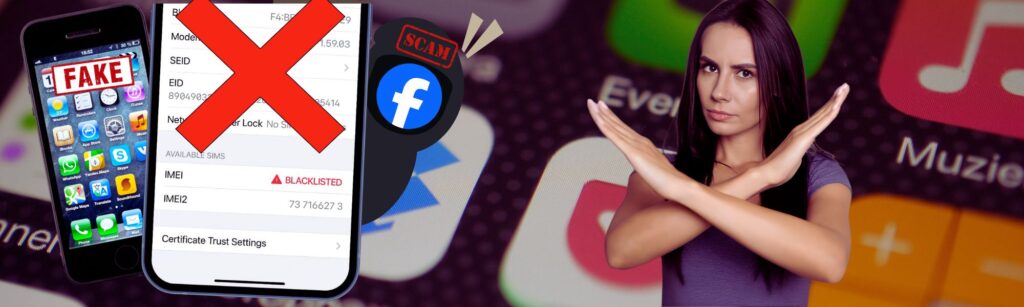
When hunting for a used iPhone, be on high alert for these red flags:
- Blacklisted IMEI: Phones reported lost or stolen to carriers are put on a national blacklist. If you later insert a local SIM, it may auto-disconnect or show an “invalid SIM” error. Never buy if you suspect this – ask the seller about it directly. (Insist on seeing a valid IMEI status.)
- Stolen/Snatch Syndicate Phones: There have been cases of “tuktok” or street robbery syndicates stealing iPhones and selling them through second-hand markets. If a deal is extra sketchy (seller says “need to sell quickly” or no ID, only e-cash deal), pass.
- Fake Receipts or Box: Some scammers will show you a random receipt or box, then swap the phone for a different (often busted) unit after the deal. Always bring the phone to a safe place (e.g. a mall security office) before finalizing. If the IMEI on the box/receipt doesn’t match the phone’s, walk away.
- Missing or Mismatched IMEI: If you take the SIM tray out and the IMEI sticker is missing or doesn’t match the phone’s system info, that’s a big sign of tampering.
- “Too Good to Be True” Price: If an iPhone 14 Pro is listed for like ₱15,000 (when everyone else is at ₱45K), be very skeptical – it’s likely stolen or defective.
- Facebook Marketplace Only (no store): FB can be convenient but also rife with scammers. If possible, meet in a public place or consider buying from an established store. Sellers who insist on offline payment or shipping without showing the phone first are risky.
- “BT/BYP” Offerings: In PH online forums, “BT” or “BYP” often refers to grey-market phones that use unofficial unlocking/bypassing methods. These may lose functionality after a software update. Treat any advertisement mentioning these acronyms as suspicious.
Where to Safely Buy Used iPhones in the Philippines
Choosing where to buy is as important as what to check. Here are some venues and their pros/cons:
- Power Mac Center Certified Pre-Owned: Official Apple reseller Power Mac has a Certified Pre-Owned (CPO) program. CPO iPhones come with inspection and a (limited) warranty, so you know they’re genuine. Prices are higher than open-market used, but you get peace of mind. (Note: Power Mac often adds a P500 bonus on certain trade-ins, though offers change regularly.)
- Beyond the Box / Switch (CPO Stores): Similar to Power Mac, these are Apple Authorized Resellers offering refurbished models. They test and re-box items. You get a short warranty and authentic accessories. Prices are more reasonable than brand-new, though still above random private listings.
- Mall Kiosks and Pawnshops: Some pawnshops, like Ace or SB, can have sealed-but-preowned iPhones (e.g., someone pawned an unopened set). Pawnshop deals can be good prices, but no warranty. Inspect carefully (open it with them present).
- Official Online Stores (Shopee/Lazada): There are official storefronts on Shopee or Lazada (or Shopee Mall) that sell refurbished iPhones. These can offer competitive prices plus a short warranty (often 3-6 months). Make sure they’re marked “official” or “authorized”. Avoid random sellers on these platforms – only buy from highly rated stores or official partners.
- Classified Ads / FB Marketplace: People often sell on FB, Carousell, OLX, etc. The risk is higher: you’re dealing with individuals. If you go this route, meet in public, bring someone with you, and inspect fully before handing cash. Many experienced buyers avoid these unless it’s a solid, known seller.
- Gadget Sensei PH:
How to Check IMEI Before Buying a Used iPhone (Step-by-Step)
Always check IMEI before buying used iPhone. Here’s how:
- Find the IMEI/Serial: On the phone, dial *#06# or open Settings > General > About. Write down the IMEI and serial number.
- Match Physical Labels: If the seller has the original box, compare that IMEI/serial with Settings > About and the SIM tray sticker. They must match exactly. Mismatches are a red flag.
- Apple Coverage Checker: Apple’s official site (checkcoverage.apple.com) lets you enter the serial number to see warranty status and verify it’s a genuine Apple device. While it doesn’t say “stolen or not,” it will flag if the serial is invalid (which could mean it’s fake or a clone).
- Blacklist Check: The Philippines doesn’t have a single public blacklist portal, but carriers have internal lists. You can try third-party sites that claim to check status (do so with caution). Some local forums mention services that check against PLDT/Smart/Globe lists. Alternatively, put a local SIM into the phone after checking everything else – if it shows an “Invalid SIM” or similar, it might be blacklisted.
- Ask Directly: Legit sellers have nothing to hide. You can say, “I want to verify the IMEI myself,” and ensure you do so before handing over cash.
By doing this step-by-step IMEI check, you minimize the chance of accidentally buying a blocked or counterfeit device.
iPhone Depreciation Price in Philippine Pesos
A. Brand-New iPhone Prices (latest models, PH SRP)
| Model | Storage | Approx. New Price (₱) |
|---|---|---|
| iPhone 15 | 128GB | ~₱43,990 |
| iPhone 15 Plus | 128GB | ~₱49,990 |
| iPhone 15 Pro | 128GB | ~₱59,990 |
| iPhone 15 Pro Max | 256GB | ~₱69,990 |
| iPhone 14 Series (for comparison) | 128GB (14) | ~₱37,990 128GB (14 Pro) ~₱59,990 |
(SRPs from Apple PH; actual store deals may be lower, as Unbox PH reported discounts on iPhone 15 up to ₱11K on high-end model
B. Used iPhone Price Ranges (as of 2025, estimates in ₱)
These are ballpark ranges for good-condition units. Exact prices depend on condition, age, and market demand.
| Model | Typical Used Price Range (₱) | Notes |
|---|---|---|
| iPhone 14 (128GB) | 25,000 – 30,000 | Last-gen mid-tier |
| iPhone 14 Pro (128) | 45,000 – 50,000 | High-end older gen |
| iPhone 13 (128GB) | 18,000 – 25,000 | Very popular, holds some value |
| iPhone 13 Pro (128) | 30,000 – 35,000 | Good specs, still sells well |
| iPhone 12 (128GB) | 15,000 – 20,000 | Older but still serviceable |
| iPhone 11 (64/128) | 10,000 – 15,000 | For budget, used widely |
| iPhone 8/SE/other | 5,000 – 10,000 | Lower specs, cheap |
Note: These are approximations. Always survey current listings (Shopee, FB, etc.) to see real offers.
Trade-in / Swap iPhone in the Philippines
Want to turn your old iPhone into credit for a new one? PH has several trade-in programs. People often ask, “Can I swap my iPhone for a new one?”, and the answer is yes – but with conditions.
- Apple Store (Apple Swap iPhone). Apple’s official PH site offers a trade-in. You enter your serial on their trade-in page and get an estimated value (e.g., an iPhone X might only get a few thousand pesos). If you go to an Apple Store or authorized reseller, they can finalize it. Typically, Apple trade-in covers any brand, not just iPhone. It’s very convenient, but the values are usually on the lower side.
- Power Mac Center (UpTrade). Power Mac calls their trade-in program UpTrade. They accept Apple products and some others. They have promotions (e.g., extra ₱500 bonus), but generally their trade-in values are similar to Apple’s or slightly higher for iPhones. They only accept in-store, so you must bring the unit to a Power Mac.
- Beyond the Box / Switch Trade-in. These authorized retailers also run trade-in promos. Value for iPhones here tends to align with Apple’s own program, but occasionally they run “trade more on launch” deals. It’s worth asking them. Usually, they need the phone in good condition (no severe damage, not too old).
- Globe and Smart Trade-in. Both local telcos run device buyback programs. For example, Globe’s website has an UpTrade Portal (device trade-in) with fixed values for select models (often outdated ones). Smart had the Smart Device Block List portal, where you can see values. These carrier programs mostly give you bill credits or GCash load in exchange for handsets. Note: If your iPhone is already blacklisted, carriers won’t accept it (they’ll check it via their internal system).
- Metrobank/Bank Promos. Occasionally, banks partner with stores: e.g., a Metrobank promo gave a bonus discount if you traded in any iPhone (regardless of model) when buying an iPhone 15. These deals come and go. Keep an eye on announcements by major credit cards around the Apple launch season.
- Phone Condition and Restrictions. All programs require the old iPhone to be working. Cracked screens or water damage will reduce the value or make it ineligible. Also, Japanese models of iPhone are often excluded or get less trade-in value due to region differences (like the mandatory shutter sound). Samsung/Middle East models also sometimes have region locks. Always ask if your specific model qualifies.
In summary, yes, you can swap your iPhone for a new one. The trade-in value depends on the store. For example, Digital Walker’s promo offered up to ₱56,100 off a new iPhone 15 Pro Max if you traded a top-end iPhone 14 Pro Max. In contrast, Apple’s site might only give ~₱40–50k for the same phone. It pays to compare and maybe bring the phone to multiple trade-in counters.
Estimated Trade-In Value Comparison (PH)
Below is a rough comparison of trade-in values in pesos for a midrange used iPhone (e.g., iPhone 14 Pro Max 128GB), across different programs. These change often, so check current rates:
| Gift card/credit towards a new Apple purchase | Approx. Value for iPhone 14 Pro Max (128GB) | Notes |
|---|---|---|
| Apple Store PH | ~₱40,000 | Gift card / credit towards new Apple purchase |
| Power Mac Center (UpTrade) | ~₱45,000 | May include occasional bonus (e.g. +₱500) |
| Beyond the Box / Switch | ~₱42,000 | In-store credit, sometimes limited models only |
| Globe Trade-in (UpTrade Portal) | ₱0 (not currently listing latest iPhones) | Globe’s portal often lists older models; best for Galaxy/old iPhones |
| Smart Trade-in / GDDS | ₱0 (platform closed for newer models) | Similarly, mostly older or brands; new iPhones usually via phone promo |
Note: These are illustrative. Actual values depend on condition and time. For lesser models (iPhone 11/12), all programs drop to a few thousand pesos at best. See Unbox PH for example values: trading an iPhone 11/12 fetched only ~₱1,000, while an iPhone 14 Pro Max 1TB got ~₱56,100.
Factory Unlocked vs Network-Locked iPhones (PH Guide)
In the Philippines, factory-unlocked iPhones are typically imported models (from the US/EU/the Middle East/Asia) and are not tied to any carrier. These are ideal for full compatibility and resale. Network-locked iPhones are tied to a particular carrier’s contract: for example, Globe or Smart locks their postpaid iPhone units (these were more common before telco locks were relaxed).
- Globe-locked units: Globe’s iPhones often have a carrier lock for 24 months (or until fully paid off). They will only accept Globe SIMs. However, nowadays Globe sells many unlocked phones too. Always ask the seller: “Is this Globe-locked or unlocked?”
- Smart-locked units: Smart Postpaid iPhones used to be locked to Smart’s network. Smart’s lock is similar: only Smart SIMs will work. If you put a Globe SIM in a Smart-locked iPhone, it won’t connect to the network.
- US carrier-locked iPhones: Some people import US models (AT&T, Verizon). If still under contract, you’d need a SIM from that carrier or a proper unlock code. Unlocked US models will show LTE bands (there’s a “*” in the model code on Settings). Check Settings > General > About for the “Carrier Lock” entry (iOS 16+ shows “No SIM restrictions” if unlocked).
- Japan models: Japan-sold iPhones always have the camera shutter sound on (by law). Other than that, they work fine in PH (they support LTE bands here). But note, Japan units often require official unlocking and may not come with English manuals. Cannot trade in Japan models easily (most kiosks won’t accept them) because of these quirks.
- Middle East / Asia units: Some iPhones sold in the Middle East (e.g., UAE) may have a built-in “Translate” app. They generally work fine locally. Chinese iPhones (if any reach PH) may lack LTE band 28 (B28), affecting Smart/DITO 700MHz coverage.
Always verify the model number (like A####). You can Google that to see which country it’s from. For local buyers, prefer factory-unlocked global models.
Overseas iPhones: Risks for PH Buyers
Beware of these region-specific issues in “overseas” units:
- Japan Model (shutter noise): As mentioned, you cannot silence the shutter on Japanese iPhones. If you buy one (without knowing), your camera will always click. This is a dealbreaker for some.
- US Models (band compatibility and locks): US versions often support Band 71 (next-gen 600MHz), but if locked, you’ll need that carrier’s SIM. Sometimes forum sellers import them “unlocked.” Make sure the model is unlocked and has the right bands (some older US iPhones lack B28 700MHz used by Smart/DITO).
- Region Locks: Rarely, very old models had region locks, but modern iPhones are generally free for global use once unlocked.
- Dual SIM (Physical vs eSIM): Certain Chinese or Hong Kong/SE Asia units (A2xxx models) allow dual SIM (one nano + eSIM). Standard US/Europe models use nano + eSIM. This usually isn’t an issue, just note it if the seller advertises “dual SIM” usage.
When in doubt, ask for the model number and Google it. And avoid units without clear origin documentation.
Common Scams in the Philippines When Buying Used iPhones
- Non-Delivery Scam: On online marketplaces, the seller posts a phone number, the buyer sends payment (e.g., via bank transfer), but the item never ships. Always meet in person or use escrow if possible.
- Cash Drops / Switcheroo: The buyer meets the seller and hands over money, but the seller switches the real phone for a broken dummy after payment. To avoid this, don’t let the phone and money be out of sight at any time. Perform the final handover in a safe place.
- Fake Receipts: We mentioned, fake receipts from “cashier tape” can be printed easily. A legit receipt from a known retailer (with logo and serial number) is hard to fake, but still verify.
- “Stolen” Ad: Criminals sometimes pose as sellers offering a “steal” of a deal. If it’s far below market, almost certainly stolen.
- Payment Diversion: Scam seller may ask to pay through a different account (e.g. GCash, Paymaya) or claim their machine is broken – be wary.
- ICT Scam: “International Credit Transfer” scammers offer huge discounts if you transfer money as an “overseas remittance”; in reality, you’ll never see the phone.
Always stick to secure methods: meet at a bank to withdraw cash and hand it over, or meet at a business center where there are cameras and guards.
Photos and Screenshots to Request from Online Sellers
If buying online (before meeting), ask the seller to send clear photos of:
- IMEI sticker or About screen: A photo of Settings > General > About showing IMEI, serial, model name.
- Battery Health screen: Screenshot showing battery capacity %.
- Activation Lock status: A photo of Settings > [your name] > Find My screen, or a quick video of them disabling Find My iPhone in front of you.
- All sides of the phone: Front (screen on and off), back, edges.
- Ports and buttons: Zoom in on the charging port, SIM tray area, camera lens, and headphone jack if present.
- Original box (if available): For model number and accessory check.
- Accessories: Ask to see the charger, cable, and any included AirPods or case. If the “original” charger is included, ensure it looks authentic (a plain white 5W adapter and Lightning cable).
Having these images in advance helps spot inconsistencies (like mismatched IMEI). Of course, final verification should be in-person, but this filters out obvious fakes.
Price Depreciation Explained
Smartphones (and iPhones in particular) lose value fast. In fact, iPhones tend to depreciate more steeply than many Android phones. According to data, an iPhone 15 (new in 2023) will be worth around 59% less after a yea. In two years, it could be down ~75%. This is due to rapid tech refresh cycles and Apple’s own trade-in deals. In the Philippines, this means if you buy a new iPhone and then try to sell it second-hand a year later, you’ll likely get only half the original price (or less). Conversely, buying a one-year-old model means you dodge that initial drop.
Depreciation also varies by model: the base iPhone (14/13) tends to drop more in percentage terms than Pro models, because Pro models have luxury and scarcity value. Low-storage models drop more because demand shifts to higher storage.
Globally, sites like SellCell track this: e.g., an iPhone 15 128GB lost 59.2% of its launch value by late 2024. That’s huge! The takeaway: if you can save by buying used, you should, unless having the absolute latest is worth the premium to you.
Screenshot-Friendly Checklist
- Check IMEI/serial: dial *#06# and compare with the box; use Apple coverage.
- Verify iCloud/Activation Lock is OFF: seller should log out of Find My iPhone.
- Battery Health: should ideally be >80% for newer phones.
- Test hardware: screen, cameras, speakers, buttons, Face ID/Touch ID.
- Inspect for damage: no water damage (LCI’s white), no deep dents or scratches.
- Ensure True Tone works: (only on genuine screen).
- Original parts: No aftermarket screens or batteries.
- Check origin and lock status: unlocked is best; avoid unknown BYP units.
- Ask for accessories & box: see proof of purchase if possible.
- Negotiate price vs condition: use the price tables above as a reference.
Final Recommendation
- Buy New iPhone If: You value full warranty and latest features, and you can stretch your budget (or avail of promos/plan deals). For people who prefer zero risk and will keep the phone long-term, a new iPhone from an official store is safest.
- Buy Used iPhone If: You want top specs for less money, don’t mind missing out on official warranty, and are willing to do checks. Used is ideal if your budget is limited or if you’re okay with last year’s model that’s still fast and supported. Ensure you buy from a trusted source (like a CPO store) or thoroughly vet the unit.
- Trade-in/Swap If: You have an older iPhone in good condition and want a newer one without paying full price. Compare trade-in values across Apple, Power Mac, and retailers. The best time to trade in is often right when a new model launches (they’ll give higher credit). Check if your current iPhone model qualifies (Japanese or too-old models might not).
Is it safe to buy a used iPhone in the Philippines?
It can be safe, but it depends on where and how you buy. To make it safe: buy from reputable sellers (Power Mac Center CPO, Beyond the Box, established Greenhills shops, or Shopee/Lazada official stores), insist on inspecting the unit in person, and check IMEI before buying a used iPhone. Avoid deals that are dramatically below market used iPhone price ranges, and never buy a phone that’s Activation Locked or has mismatched IMEI/box information. If you follow the checklist (IMEI, battery health, iCloud status, physical checks), the odds of a bad purchase drop dramatically.
How do I quickly verify a seller is legitimate?
Ask for verifiable details: a copy/photo of the original receipt (store name, date, serial/IMEI), seller ID, and multiple photos of the device (including Settings > General > About). Check their seller ratings and reviews on platforms like Shopee/Lazada, see how long they’ve had an account, and prefer stores with a physical address. For private sellers, ask to meet in a public, busy place (mall, bank lobby) and bring a friend.
What exactly should I do to check the IMEI before buying a used iPhone?
Step-by-step:
1.) On the device, dial *#06# or open Settings > General > About and copy IMEI/serial.
2.) Match IMEI to the box and any seller receipt.
3.) Enter the serial on Apple’s coverage checker (to confirm it’s a valid Apple serial and see warranty/AppleCare status).
4.) Insert a Philippine SIM (Globe/Smart/DITO) and see if it registers on the network — if it shows “No SIM restrictions” in Settings, that’s good.
5.) If anything looks off (mismatched IMEI, invalid serial), walk away. This is the single most important technical check.
What used iPhone price should I expect for common models in 2025–2026?
Prices vary by condition, storage, and demand. As a rough rule of thumb, last-year non-Pro models tend to sell for 40–60% of new SRP if in very good condition; Pro models may keep 50–70% of value if maintained. Always compare several listings (Greenhills, Shopee, Lazada, FB Marketplace) and use the median as your target price. If a listing is far below the going rate, treat it as a red flag.
What are the top signs a used iPhone might be stolen or blacklisted?
Top red flags: seller refuses to show IMEI/serial, mismatched IMEI between box and phone, seller insists on cash-only and no meeting, suspiciously low price, and seller refuses to let you insert your SIM or power cycle the device. If a phone is blacklisted it may show “No Service” with a local SIM or fail to register. Always insist on full IMEI verification before paying.
Can I swap my iPhone for a new one in the Philippines (apple swap iPhone Philippines)?
Yes, many chains and Apple’s trade-in programs allow you to swap an iPhone for a new iPhone via trade-in credit. You’ll get an estimated value based on model and condition. The final value is determined by the physical check during trade-in. Compare Apple’s offer with Power Mac Center, Beyond the Box, and carrier trade-in rates to get the best deal.
Can I swap my iPhone for a new one? What’s the process and what should I prepare?
Short process: backup your data, sign out of iCloud (disable Find My iPhone), erase the device, and bring the unit plus original accessories and receipt if possible. Stores will inspect for functional condition, screen/case damage, water damage, and whether the IMEI is clean. Bring valid ID and be ready to accept store credit or a voucher – some shops give instant cash but most give in-store credit.
How to swap iphone at apple store, step by step?
Apple’s trade-in is usually done online or in authorized reseller stores (Apple PH has no own retail space everywhere). Basic steps: estimate trade-in online by entering serial; bring the device and ID to the store; Apple/authorized partner inspects the phone; if the condition matches the estimate, you receive credit toward a new Apple purchase. Keep in mind official Apple trade-in values can be conservative compared to third-party resellers, but the process is secure.
Where can i swap my iphone besides Apple?
Where can i swap my iphone: Power Mac Center (UpTrade), Beyond the Box, Switch, and select mall-based shops. Carriers (Globe, Smart) have trade-in or upgrade programs as well but often tie the credit to postpaid plans. Compare store promotions – sometimes a reseller will match or beat Apple with a limited promo.
How do carrier trade-in programs (Globe/Smart) work?
Carriers typically give credits toward a device-on-plan purchase or bill reduction. They evaluate condition and IMEI cleanliness. Carriers require the device be fully functional and not blacklisted. Note that carrier credits are often lower than trade-in credit from an electronics retailer; however, carriers sometimes pair trade-in with promos (0% installment, extra freebies) which can make the net cost attractive.
What exactly is a BT/BYP unit and why avoid it?
“BT” / “BYP” in PH slang usually refers to phones unlocked or altered through unofficial methods — or even devices that have been illicitly put back into circulation. They may appear to work but can fail after updates, lose certain features, or be flagged by carriers later. Avoid buying any phone advertised with those terms unless the seller fully explains the workaround and offers a warranty.
How do I check battery health and what’s acceptable?
Go to Settings > Battery > Battery Health. Maximum Capacity shows a percentage. For good value:
– >90% = excellent (almost new)
– 85–90% = good
– 80–85% = acceptable, but expect shorter daily runtime
– <80% = consider battery replacement cost (ask seller to drop price or replace first)
Battery replacements in PH are common; factor that costs into your offer if the score is low.
How do I avoid iCloud-locked units?
Insist the seller signs out of iCloud and disables Find My iPhone u003cemu003ein front of youu003c/emu003e. If the phone asks for the previous owner’s Apple ID during a factory reset, it’s Activation Locked – don’t buy. If purchasing online, request a live video of the seller disabling Find My and performing the reset. Written assurances are not enough- the activation lock prevents the phone from being used.
What paperwork or receipts should I ask for?
Ask for the original store receipt (showing serial or IMEI), warranty card (if still valid), and any proof of repair history. Receipts from authorized resellers (Power Mac, Beyond the Box) are more trustworthy. If buying from a pawnshop, ask for pawn ticket details and verify the legitimacy of the outlet.