
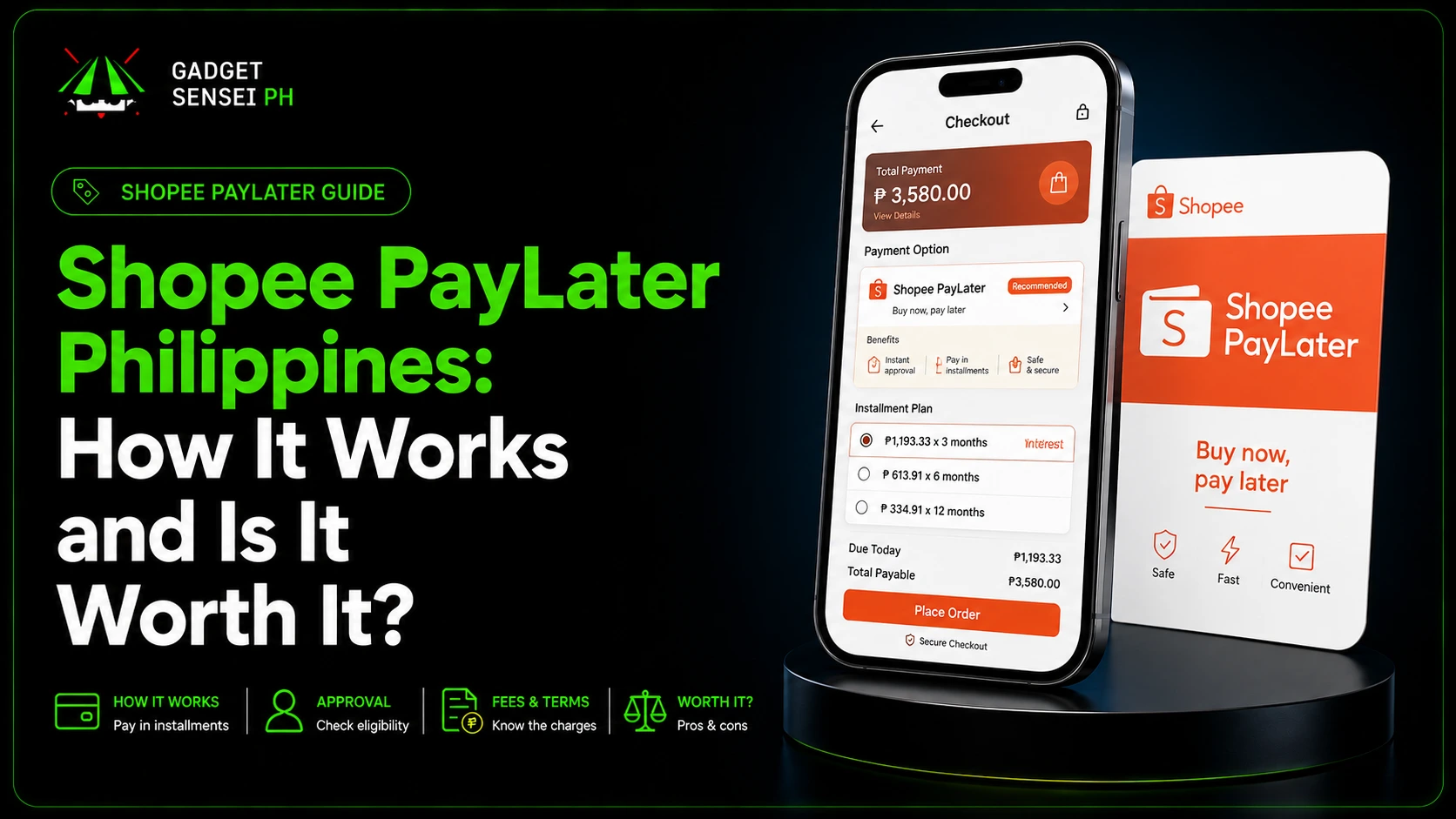
Shopee Pay Later, also called SPayLater, is Shopee’s buy now, pay later option that lets eligible users buy now and pay later through a next-month bill or installment plan.
For Filipino buyers, it can be useful for planned purchases like gadgets, accessories, appliances, home items, school needs, and other Shopee orders. Instead of paying the full amount upfront, you can split the payment depending on the available SPayLater terms at checkout.
But SPayLater is not free money.
Before using Shopee Pay Later, you should understand the requirements, age limit, fees, monthly interest, late payment charges, payment methods, due date, and final checkout breakdown.
This Shopee Pay Later Philippines guide explains how SPayLater works in 2026, how to activate it, how to use it at checkout, how to pay bills, what happens if you do not pay, and whether it is worth using for gadget purchases.
Quick Answer: What Is Shopee Pay Later?
Shopee Pay Later or SPayLater is a buy now, pay later feature inside Shopee.
It lets eligible users buy items first and pay later through a next-month payment or installment plan. At checkout, you choose SPayLater, select the payment term, review the fees and monthly amount, then confirm the order.
SPayLater can be useful if you want to spread a purchase over time, but you should always check the final repayment amount before confirming.
Use Shopee Pay Later if:
- You are buying a planned item
- You understand the fees
- You can pay on time
- The monthly amount fits your budget
- The total repayment still makes sense
- You are not using it for impulse buying
Be careful if:
- You only looked at the monthly payment
- You did not check the total repayment
- You may miss the due date
- You are already struggling with bills
- The item is not really needed
- The interest and fees make the item much more expensive
Simple reminder: Shopee Pay Later can help with planned purchases, but it should not be used just because the monthly payment looks small. Always check the total repayment first.
Simple verdict:
Shopee Pay Later can be useful for responsible buyers, but it can become expensive if you miss payments or use it for impulse purchases.
Shopee Pay Later vs SPayLater: Are They the Same?
Yes. Shopee Pay Later and SPayLater usually refer to the same feature.
People search for different names like:
- Shopee Pay Later
- SPayLater
- Shopee SPayLater
- Shopee installment
- Shopee buy now pay later
- Shopee PayLater Philippines
Inside the Shopee app, the feature is usually shown as SPayLater.
For this article, Shopee Pay Later and SPayLater mean the same thing.
Latest SPayLater Fees, Interest, and Late Charges
Before using SPayLater, check the cost first.
SPayLater can include processing fees, monthly interest, and late payment charges depending on your account, transaction, item, promo, merchant, and chosen installment term.
| SPayLater Cost | What To Know |
|---|---|
| Processing fee | Can range from 0% to 7% depending on the transaction |
| Monthly interest | Can range from 1% to 5% per month |
| Late payment fee | Can range from 2.5% to 5% monthly on the outstanding amount |
| Due date | Usually fixed on the 5th or 15th of the month |
| Final amount | Always check the checkout page before confirming |
Important: SPayLater fees can change depending on your account, credit profile, promo, item, merchant, and chosen installment term. The final checkout breakdown inside Shopee should always be treated as the final amount.
Do not assume the amount from a blog, comment, TikTok video, or sample computation is your actual SPayLater cost. The real number is the one shown inside Shopee before you confirm the order.
Shopee PayLater Philippines Requirements
Shopee Pay Later is not automatically available to everyone.
What You Generally Need To Qualify
To qualify, you generally need:
- Eligible Shopee account
- Valid government ID
- Completed identity verification
- Correct personal details
- Good account behavior
- Good repayment behavior if you already used Shopee credit products
- Approval from Shopee / SPayLater provider
Shopee may review:
- Your account activity
- Your payment behavior
- Your credit profile
- Your submitted ID
- Your liveness check
- Other internal eligibility factors
Note: approval is not automatic. Even if you submit an ID and complete verification, Shopee / SPayLater may still review your account details, activity, payment history, and eligibility before approving access.
Common valid IDs may include:
- Philippine National ID
- Driver’s license
- Passport
- UMID
- SSS ID
- PRC ID
- Postal ID
- Other valid government IDs accepted in the app
Important: always follow the requirements shown inside the Shopee app because accepted IDs, verification steps, and eligibility rules may change.
Use a clear physical ID when applying. Make sure your name, birthday, and details match your Shopee account.
If your ID photo is blurry, blocked, expired, damaged, or does not match your liveness check, your application may be delayed or rejected.
Shopee Pay Later Age Limit
Shopee Help currently lists SPayLater eligibility as 18 to 65 years old with a valid government ID.
However, some partner pages or older posts may show different requirements, so the safest answer is this:
Check your final eligibility inside the Shopee app.
If SPayLater does not appear in your account, you may not be eligible yet, your account may still need verification, or the feature may not be offered to you at the moment.
Do not use someone else’s ID or account to apply. The ID, liveness check, and account details should match the actual user.
How to Activate Shopee Pay Later
To activate Shopee Pay Later, use the Shopee app.
Basic steps:
- Open the Shopee app.
- Go to Me.
- Tap SPayLater.
- Tap Activate.
- Follow the instructions.
- Submit your required details.
- Upload your valid ID.
- Complete the liveness or face verification.
- Wait for the result.
- Review the credit limit if approved.
Important: approval is not guaranteed. Even after submitting your details and valid ID, Shopee / SPayLater may still review your account before approving access.
Even if you can see SPayLater in your account, Shopee still needs to review your application. Your approved limit may also be different from other users.
If approved, you can use SPayLater at checkout as long as the item is eligible and your credit limit is enough.
How to Use SPayLater at Checkout
Once activated, you can use SPayLater during Shopee checkout.
Basic steps:
- Add the item to your cart.
- Go to checkout.
- Tap Payment Option.
- Choose SPayLater.
- Select the available payment term.
- Review the monthly amount, interest, fee, and total repayment.
- Confirm the payment option.
- Place your order.
- Enter your ShopeePay PIN or complete verification if required.
Before confirming, check:
- Item price
- Voucher applied
- Shipping fee
- Processing fee
- Monthly interest
- Payment term
- Monthly amount
- Total repayment
- Due date
- Final checkout amount
Important: do not confirm the order based on the monthly amount alone. Always check the fees, interest, due date, and total repayment before placing your order.
Do not confirm the order if you do not understand the repayment breakdown.
How to Pay Shopee Pay Later Bills
To pay your SPayLater bill:
- Open the Shopee app.
- Go to Me.
- Tap SPayLater.
- Tap Pay Now.
- Select Current Bill.
- Tap Pay Now again.
- Choose your payment method.
- Confirm and complete the payment.
Shopee says SPayLater bills can be paid through the app using ShopeePay, e-wallets, OTC, or online payment.
COD and credit cards are not accepted for SPayLater bill payments.
After payment, Shopee may update your SPayLater limit within 24 hours. Some payment methods may take longer to process, especially OTC or online payment channels.
Payment tips:
- Pay before the due date
- Use ShopeePay if you want faster updates
- Save proof of payment
- Check if the payment reflected
- Avoid waiting until the last day
- Do not ignore app reminders
Can You Set Auto Repayment for SPayLater?
Yes, SPayLater has auto repayment.
Shopee says auto repayment can automatically deduct your SPayLater bill from your linked account. Currently, only ShopeePay can be used for this feature.
Auto repayment can help you avoid late fees, but you still need to make sure your ShopeePay has enough balance before the due date.
Auto repayment is helpful if:
- You often forget due dates
- You already use ShopeePay
- You want fewer manual payment steps
- You want to reduce the risk of late payment
But do not rely on auto repayment blindly. Always check your bill and ShopeePay balance.
If your ShopeePay balance is not enough, auto repayment may fail, and you may still need to pay manually.
Shopee Pay Later Due Date: 5th or 15th?
SPayLater due dates are usually fixed on either the 5th or 15th of the month.
Shopee also says billing details may appear depending on your billing cycle, and your bill is usually shown before the due date.
Simple explanation:
- Some users pay by the 5th of the month
- Some users pay by the 15th of the month
- Your due date depends on your billing cycle
- You should always check your SPayLater page for your exact due date
Do not assume your due date is the same as another user’s.
Check your own app.
What Happens If You Do Not Pay SPayLater?
If you do not pay SPayLater on time, late payment fees may apply.
Your SPayLater account may also be affected.
Possible consequences include:
- Late payment fee
- Temporary freezing of SPayLater
- Permanent restriction for long-standing overdue bills
- Restricted use of Shopee vouchers
- Restricted use of Shopee Coins
- Lower future credit limit
- Payment rejection due to unusual activity
- Negative repayment record inside Shopee’s system
- Possible collection reminders or follow-ups
Shopee also says that users with unsettled SPayLater, SLoan, or SLoan for Sellers bills may have restricted access.
Do not treat the due date as optional.
If you already missed a payment, open the app, check the balance, pay the overdue amount, and contact Shopee support through official channels if you need help.
Why Don’t I Have Shopee Pay Later?
You may not see Shopee Pay Later in your account because SPayLater is not available to all users.
Common reasons include:
- Account is not eligible yet
- Incomplete verification
- Low account activity
- Unsupported product category
- Insufficient SPayLater credit limit
- Unusual account activity
- Previous repayment issues
- Unsettled SPayLater bill
- Unsettled SLoan bill
- Unsettled SLoan for Sellers bill
- Shopee has not offered the feature to your account
If you already activated SPayLater but cannot use it, check if you have an unpaid SPayLater, SLoan, or SLoan for Sellers bill.
Shopee says late or unsettled bills can lead to temporary or permanent freezing, restricted voucher or coin use, and lower credit access.
Also, some items may not be eligible for SPayLater. If SPayLater does not appear during checkout, the item, seller, category, limit, or account status may be the reason.
Why Was My SPayLater Application Rejected?
Your SPayLater application may be rejected if your submitted details do not match your ID, your ID photo is unclear, your liveness check does not match the ID, your account details are inconsistent, or you have duplicate Shopee-related credit accounts.
Common reasons include:
- Blurry ID photo
- ID photo has glare, shadow, or obstruction
- Expired or invalid ID
- Details do not match your government ID
- Liveness check does not match your ID
- Different details across ShopeePay, SLoan, or SPayLater
- Duplicate Shopee accounts with credit products
- Low account activity
- Shopee’s internal credit review did not approve the account
To improve your chance of approval:
- Use a clear valid physical ID
- Make sure your details match exactly
- Avoid duplicate accounts
- Use Shopee more actively
- Activate ShopeePay if useful for your account
- Pay digitally when possible
- Maintain good payment behavior
- Avoid late or unsettled bills
Approval still depends on Shopee’s own policies and SPayLater terms.
Where Can You Use SPayLater?
You can use SPayLater inside Shopee for eligible orders.
SPayLater may appear during checkout if:
- Your account is eligible
- Your SPayLater is activated
- The item is eligible
- Your credit limit is enough
- The seller or checkout supports SPayLater
- Your account has no restrictions
You can also use SPayLater at selected physical stores through ShopeePay Scan-to-Pay with QRPH-supported merchants.
For physical stores, availability depends on:
- Merchant support
- Account eligibility
- Available credit limit
- Selected payment plan
- ShopeePay Scan-to-Pay support
- Whether SPayLater appears as an option
Do not assume every QRPH store accepts SPayLater. It is available only at selected stores.
SPayLater Xtra: Extra Limit for Bigger Purchases
SPayLater Xtra is an additional credit limit feature for selected users.
Shopee says SPayLater Xtra can give users an extra credit limit for high-value purchases worth at least ₱5,000 in selected Shopee stores.
This may help for bigger purchases like gadgets, appliances, or expensive items if your normal SPayLater limit is not enough.
SPayLater Xtra may be useful if:
- You are buying a high-value item
- Your regular SPayLater limit is not enough
- The store supports SPayLater Xtra
- You understand the repayment terms
- The final monthly payment fits your budget
Be careful with bigger limits.
A higher limit does not mean you should spend more. It only means you may be allowed to borrow more. Always check the total repayment.
Can You Use SPayLater for Gadgets?
Yes, you can use SPayLater for some gadget purchases on Shopee if the item, seller, account, and checkout are eligible.
This may include products like:
- Phones
- iPhones
- Tablets
- Accessories
- Earbuds
- Chargers
- Power banks
- Smartwatches
- Appliances
- Other tech items
But for expensive gadgets, be extra careful.
Before using SPayLater for gadgets, check:
- Is the seller trusted?
- Is the item authentic?
- Is the price fair?
- Is the warranty clear?
- Is the unit brand new, open-box, imported, or pre-owned?
- How much is the monthly payment?
- How much is the total repayment?
- Are there fees or interest?
- Is there a 0% promo?
- Can you pay on time?
For Gadget Sensei PH readers, the most important rule is simple:
Do not use installment only because the monthly payment looks small. Always compare the total repayment against the cash price.
If you are comparing phone options, you can check the Gadget Sensei PH iPhone collection, brand new iPhones, or pre-owned iPhones before deciding.
For expensive phone purchases, you may also read the iPhone 16 review Philippines and iPhone 16 price Philippines guide.
Shopee Pay Later Sample Cost Estimate
This sample helps you understand how SPayLater cost can change.
This is only a rough estimate based on public fee ranges. Your actual SPayLater amount may be different because Shopee calculates the final interest, fee, promo, and repayment schedule during checkout.
| Sample Detail | Amount |
| Item price | ₱10,000 |
| Possible processing fee | 0% to 7% |
| Possible monthly interest | 1% to 5% |
| Sample term | 3 months |
Simple estimate:
| Scenario | Possible Total Repayment |
| Lower-fee example | Around ₱10,300 |
| Higher-fee example | Around ₱12,200 |
How this works:
A lower-fee example may happen if the processing fee is low or waived and the monthly interest is near the lower end.
A higher-fee example may happen if there is a higher processing fee and higher monthly interest across the selected term.
Again, this is not your final Shopee Pay Later amount.
Always check the final checkout breakdown before confirming your order.
Shopee Pay Later Promos and 0% Interest Deals
Shopee sometimes offers 0% interest deals for SPayLater.
This may happen on selected products, selected brands, selected sale days, or selected installment terms.
Shopee’s SPayLater page also promotes 0% interest deals for selected essential, home, fashion, and tech brands.
But do not assume every SPayLater transaction is 0%.
Some checkouts may still include:
- Processing fee
- Monthly interest
- Service fee
- Higher total repayment
- Different amount depending on term
Always compare the final repayment amount before confirming.
A “0% interest” label is helpful only if the final total cost still makes sense.
Does Shopee Pay Later Have 0% Interest?
Sometimes, yes.
Shopee may offer 0% interest on selected SPayLater options, especially for the 1-month BNPL option or selected 3-month and 6-month promos.
But do not assume every SPayLater checkout is 0%.
Some transactions may still include processing fees, monthly interest, or other charges depending on your account, item, seller, and promo.
Always check the final repayment amount before confirming.
How to Increase Shopee Pay Later Credit Limit
SPayLater credit limit may increase over time depending on Shopee’s review of your account.
To improve your chances:
- Pay bills on time
- Avoid late payments
- Use Shopee responsibly
- Keep account details accurate
- Avoid duplicate credit accounts
- Maintain good ShopeePay or Shopee activity
- Do not max out your limit irresponsibly
- Settle all unpaid bills
Shopee may automatically adjust your credit limit based on repayment behavior and account review.
There is no guaranteed trick to increase the limit instantly.
If someone online says they can “boost” your SPayLater limit for a fee, avoid it.
Shopee Pay Later vs Credit Card Installment
SPayLater and credit card installment can both help split payments, but they work differently.
| Option | Best For | Strength | Watch Out For |
| SPayLater | Shopee users without credit card | Easy to use inside Shopee | Fees and interest can vary |
| Credit Card Installment | Cardholders buying bigger items | May offer longer promos or 0% deals | Requires credit card approval and discipline |
SPayLater is convenient if you already shop on Shopee and the final fee is reasonable.
Credit card installment can be better if your card offers a true 0% promo, longer terms, rewards, or better consumer protection.
Best approach:
Compare the final total repayment, not only the monthly payment.
Shopee Pay Later vs Atome, Skyro, GGives, and Home Credit
Different installment options work better for different buyers.
| Payment Option | Best For | Strength | Risk |
| Shopee Pay Later / SPayLater | Shopee purchases | Convenient inside Shopee checkout | Can encourage impulse buying |
| Atome | Short-term BNPL users | Simple split-payment style | Not always ideal for large gadgets |
| Skyro | Gadget and big-ticket installment | Useful for partner-store product loans | Final fees and approval may vary |
| GGives | GCash users with eligible credit | Useful inside GCash ecosystem | Interest and repayment terms must be checked |
| Home Credit | In-store gadget and appliance installment | Widely known for physical store financing | Fees and total repayment vary |
Do not choose based only on the app name.
Choose based on:
- Final monthly payment
- Total repayment
- Interest
- Processing fee
- Store support
- Merchant trust
- Payment convenience
- Late payment rules
- Whether the item is really needed
For other installment options, read these guides:
- Skyro installment guide
- Atome Buy Now Pay Later Philippines
- GGives in GCash guide
- Cash vs installment for iPhones
Pros and Cons Of Shopee Paylater Philippines
Pros and Cons of Shopee Pay Later
Pros
- Easy to use inside Shopee
- Can split payments over time
- Useful for planned purchases
- Can help during promos
- May offer 0% interest deals on selected products
- Can be used for selected online and QRPH-supported physical store purchases
- Good for users without credit cards
- Bills can be tracked inside the Shopee app
- Auto repayment is available through ShopeePay
Cons
- Not available to all users
- Approval is not guaranteed
- Fees and interest can vary
- Late payment fees can apply
- Can encourage impulse buying
- Some items or categories may not be eligible
- COD and credit cards cannot be used to pay SPayLater bills
- Credit limit may be too low for expensive gadgets
- Unpaid bills can freeze or restrict your account
Important: Shopee Pay Later can be helpful for planned purchases, but always check the fees, interest, due date, monthly amount, and total repayment before confirming.
Is Shopee Pay Later Worth It?
Shopee Pay Later is worth it if you use it for planned purchases, understand the fees, and can pay on time.
It can be useful if:
- You need to spread payment
- You are buying something planned
- You found a good promo
- The final repayment is reasonable
- You can pay before the due date
- You are not using it for impulse buying
It is not worth it if:
- It makes you buy things you do not need
- You only checked the monthly payment
- The total repayment is too high
- You may miss due dates
- You already have unpaid bills
- You are using it to cover another unaffordable purchase
Final verdict:
Shopee Pay Later can be helpful for responsible buyers, but it should be treated like credit, not extra cash.
For gadget purchases, always compare the SPayLater total repayment against the cash price, credit card installment, Skyro, Atome, GGives, Home Credit, and buying from a trusted store.
Need help choosing a phone? You can browse the Gadget Sensei PH iPhone collection or message Gadget Sensei PH.
Frequently Asked Questions
How does Shopee Pay Later work?
Shopee Pay Later or SPayLater lets eligible Shopee users buy now and pay later through a next-month payment or installment plan. At checkout, you choose SPayLater, select your payment term, review the fees and monthly amount, then confirm the order.
How to be eligible for Shopee Pay Later?
You generally need an eligible Shopee account, valid government ID, completed verification, and good account behavior. Approval is not guaranteed because Shopee reviews your account, payment behavior, and credit profile.
What is the Shopee Pay Later age limit?
Shopee Help currently lists SPayLater eligibility as 18 to 65 years old with a valid government ID. However, other partner pages may show different requirements, so final eligibility should be checked inside the Shopee app.
What happens if SPayLater is not paid?
If you do not pay SPayLater on time, late payment fees may apply. Your SPayLater account may be frozen, your Shopee vouchers and coins may be restricted, and your future credit limit or access may be affected.
Why don’t I have Shopee Pay Later?
You may not have Shopee Pay Later because it is only offered to selected eligible users. Your account may also lack verification, have low activity, have unsupported purchases, have insufficient limit, or have repayment-related issues.
Can I use Shopee Pay Later in physical stores?
Yes, selected users may be able to use SPayLater through ShopeePay Scan-to-Pay at selected QRPH-supported physical stores. Availability depends on the merchant, account eligibility, and available credit limit.
Is Shopee Pay Later good for buying gadgets?
It can be useful for planned gadget purchases if the monthly payment fits your budget and the promo is good. But for expensive gadgets, always compare the total repayment amount versus paying cash, using a credit card installment, or using another financing option.
Is Shopee Pay Later worth it?
Shopee Pay Later is worth it if you use it for planned purchases, understand the fees, and can pay on time. It is not worth it if it encourages impulse buying or if the interest makes the item much more expensive.
How do I pay Shopee Pay Later bills?
Open the Shopee app, go to Me, tap SPayLater, tap Pay Now, select Current Bill, tap Pay Now again, choose your payment method, then confirm and complete the payment.
Does Shopee Pay Later have 0% interest?
Sometimes, yes. Shopee may offer 0% interest on selected SPayLater options, selected products, brands, or promo days. However, not every SPayLater transaction is 0%, so always check the final checkout breakdown.
Why was my SPayLater application rejected?
Your SPayLater application may be rejected if your details do not match your ID, your ID photo is unclear, your liveness check does not match, your account details are inconsistent, or you have duplicate Shopee-related credit accounts.
Can I increase my Shopee Pay Later credit limit?
SPayLater credit limit may increase over time depending on Shopee’s account review and your repayment behavior. Paying on time, keeping good account activity, and avoiding overdue bills may help, but an increase is not guaranteed.