
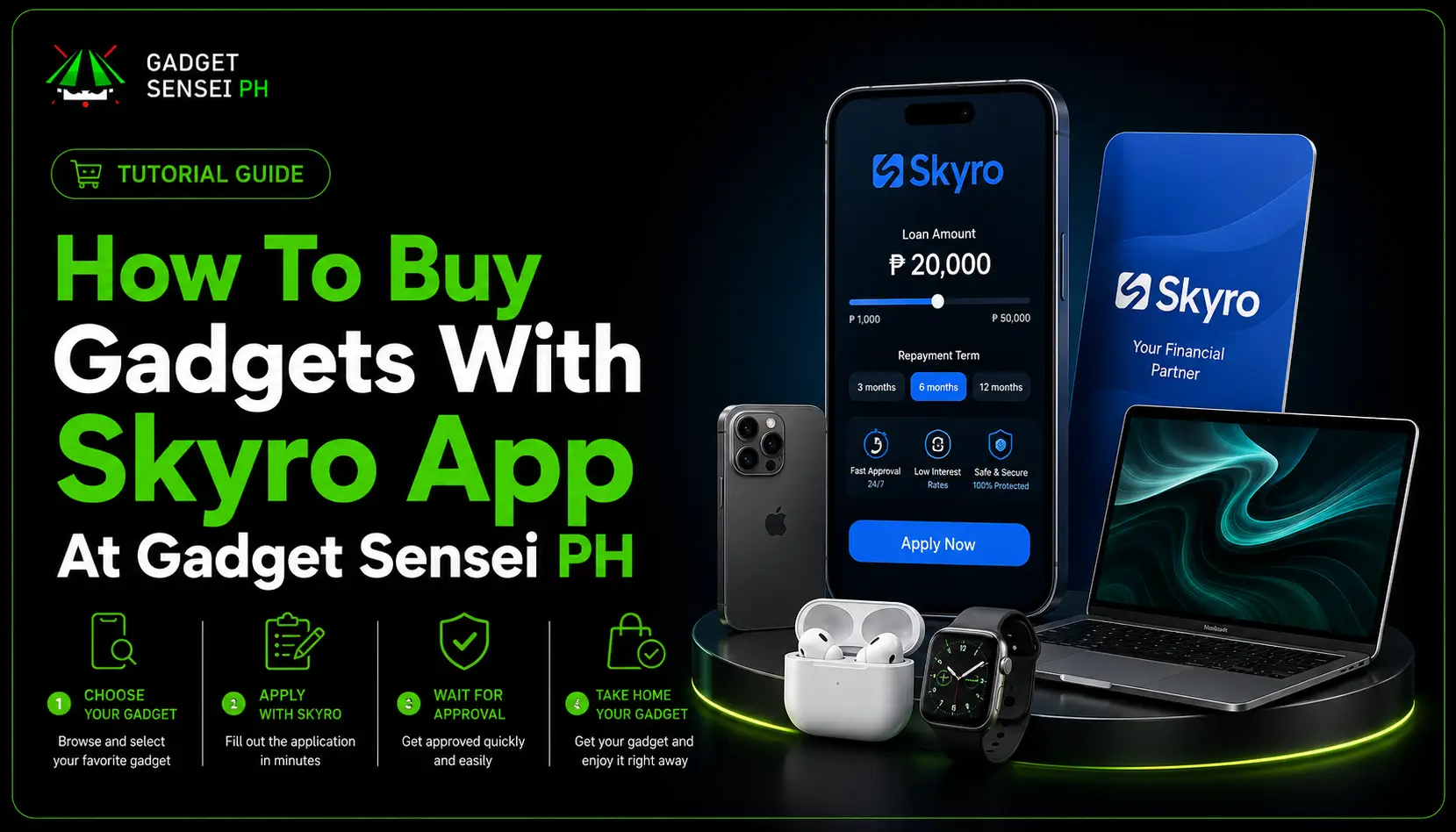
Buying a gadget does not always mean paying the full amount upfront. For customers who want to get an iPhone, iPad, MacBook, laptop, or other gadget through monthly installment, the Skyro app can be one option to consider at Gadget Sensei PH.
This guide is made for customers who want to know how Skyro works when buying from Gadget Sensei PH. We will explain what to prepare, how the process usually works, what details to check before accepting, how payment works, and what you should remember after taking home your device.
The goal is simple: help you buy smarter, avoid confusion, and make sure you understand the full cost before saying yes to any installment offer.
Skyro Product Loan is designed for buying items like gadgets, appliances, furniture, and more through partner stores. Skyro’s official product loan page says users can split payments for gadgets and other items, get approved in minutes, and use the product loan at partner stores, subject to approval and final terms.
How Does Skyro Work At Gadget Sensei PH?
At Gadget Sensei PH, Skyro can help eligible customers buy gadgets through installment instead of paying the full cash price upfront.
Simple flow: Choose the gadget you want, prepare your valid ID, apply through the Skyro app or store-assisted process, wait for approval, review the final loan terms, accept only if the monthly payment and total repayment are realistic, then take home your gadget after the process is completed.
What Can You Buy With Skyro At Gadget Sensei PH?
Skyro is most useful for customers who want to buy a gadget but prefer installment instead of one-time full payment.
At Gadget Sensei PH, customers usually look for items such as:
- iPhones
- iPads
- MacBooks
- laptops
- accessories
- brand new gadgets
- pre-owned gadgets
Skyro’s Product Loan FAQ says a Skyro Product Loan can be used for items like phones, gadgets, appliances, and other products at partner stores. It also says users can use Product Loan at 9,000+ partner stores nationwide, choose the item they want, and split payments with flexible loan terms.
Before applying, always confirm if the exact product you want is eligible for Skyro. Do not assume every item, promo, model, storage, color, or price will have the same loan result. Final eligibility can depend on the item, stock, store process, current campaign, and your Skyro approval.
What To Prepare Before Applying Through Skyro
Before messaging Gadget Sensei PH or visiting the store, prepare your basic requirements first. This makes the process smoother and helps avoid delays.
Skyro’s official valid ID guide says users need one government-issued ID for a Skyro loan application. Accepted IDs listed by Skyro include Philippine passport, driver’s license, UMID, SSS ID, Philippine ID, PhilSys ID, Digital National ID, ePhilID, PRC ID, Postal ID, and GSIS ID.
Prepare these before applying:
Tip: Make sure your ID details, mobile number, and personal information are correct before submitting your Skyro application.
Make sure your personal details match your valid ID. Skyro says users should take a clear photo of the ID, make sure the ID is not expired, and match the application details with the ID details because incorrect data may cause delays or lower approval chances.
Do not apply with wrong information just to “try.” Loan applications involve identity verification, and mismatched details may create problems with approval, payment, or account access later.
Step-By-Step Guide: How To Buy Gadgets With Skyro App
1. Choose The Gadget You Want
Start by choosing the gadget you want from Gadget Sensei PH.
Before asking for Skyro installment, check the basic product details first:
- exact model
- storage
- color
- condition
- brand new or pre-owned
- cash price
- installment availability
- warranty
- inclusions
- stock availability
For example, if you want an iPhone, do not only ask, “Pwede ba Skyro?” Ask for the exact model, storage, price, warranty, and whether the unit is brand new or pre-owned.
This matters because the final Skyro offer may depend on the actual store price and the item you choose.
2. Message Gadget Sensei PH Or Visit The Store
Once you already know what device you want, message Gadget Sensei PH or visit the store to confirm if Skyro is available for that item.
This is better than only asking “Magkano monthly?” because the monthly payment may depend on Skyro approval, down payment, processing fee, loan term, and final disclosure.
3. Prepare Your Valid ID And Skyro App
Before starting the application, make sure your valid ID and phone are ready.
You may need to download or open the Skyro app, create or access your account, verify your mobile number, and submit personal details. Skyro’s valid ID guide says the ID photo should be clear, readable, complete, not expired, and matched with your application details.
Use your real information. Avoid blurry ID photos, cropped ID corners, wrong birthdays, wrong spelling, outdated phone numbers, or expired IDs. These small mistakes can slow down the process.
4. Apply Through The Skyro App Or Store-Assisted Process
Skyro’s product loan page explains the in-store flow as visiting a partner store, picking an item from 9,000+ stores nationwide, talking to a Skyro agent, and taking the item home while paying monthly after approval.
The basic Gadget Sensei PH customer flow looks like this:
- Choose the gadget you want.
- Confirm if Skyro is available for that item.
- Prepare your valid ID and mobile number.
- Follow the Skyro app or agent-assisted process.
- Submit your personal details accurately.
- Wait for Skyro evaluation.
- Review the approved loan offer.
- Accept only if the terms are realistic.
- Complete the store process.
- Take home your gadget and pay based on the agreed schedule.
The important part is not only getting approved. The important part is understanding the final loan terms before accepting.
5. Review The Final Loan Terms Before Accepting
Before you accept any Skyro offer, pause and check the full details.
Look for:
- product price
- approved loan amount
- down payment
- processing fee
- interest rate
- repayment term
- monthly installment
- total repayment
- due date
- late payment fee
- add-ons or value-added services, if included
Skyro’s fees page lists Product Loan amounts from ₱3,000 to ₱100,000, interest from 0% to 6.9%, down payment as low as ₱0 if approved, repayment terms of 6, 9, 12, 18, or 24 months, and a processing fee of 10% of the financed amount plus ₱690. It also says 18- and 24-month terms are available only for loans over ₱30,000.
This is why you should not decide based only on the monthly payment. A low monthly amount can look easy, but the total repayment tells you the real cost.
For gadget buyers, the better question is not just:
“Approved ba ako?”
The better question is:
“After all fees and monthly payments, sulit pa ba ito for my budget?”
6. Take Home The Gadget After Completion
If your Skyro application is approved and you accept the final terms, the store or Skyro process will guide you through the last steps.
After completion, you can take home your gadget and pay based on the agreed schedule.
Keep your receipts, screenshots, agreement details, loan confirmation, warranty details, and proof of payment. These records can help if you need customer support, warranty assistance, or payment verification later.
Skyro Product Loan Cost: What Customers Should Check
Skyro Product Loan can be helpful, but every customer should understand that installment is not always the same as the cash price.
Skyro’s fees page says the Product Loan processing fee is 10% of the financed amount plus ₱690. It also lists possible conditional charges such as late payment fees and attorney or agency fees for overdue accounts.
Before accepting, check these three numbers:
Cash Price
This is the price if you pay the full amount upfront.
Monthly Payment
This is the amount you will pay every due date.
Total Repayment
This is the full amount you pay after finishing the loan.
Buyer reminder: A gadget can look affordable monthly, but the total repayment may be higher after the processing fee, interest, and other charges. That does not automatically mean it is bad, but you should know the difference before accepting.
What “Pre-Approved” Means In Skyro
Some customers may see “pre-approved” in the Skyro app and think the purchase is already guaranteed.
That is not always the case.
Skyro’s Product Loan FAQ says “pre-approved” means the customer has a high chance of final loan approval, but the final decision still depends on the chosen product and its store price.
So if you are pre-approved, that is a good sign, but you still need to confirm the actual gadget, final price, approved amount, down payment, and terms at the store.
Do not reserve your full budget around a pre-approval alone. Wait for the final loan disclosure before making your final decision.
Payment Reminder: How To Pay Your Skyro Loan
After taking home your gadget, your most important responsibility is paying on time.
For GCash or other e-wallet payments, follow the official Skyro app flow. Choose the supported e-wallet option inside the app, confirm the amount, complete the payment, and keep proof of payment.
Avoid sending money to random personal accounts, unofficial QR codes, or people claiming they can “assist” outside the official Skyro app process.
Skyro recommends paying your loan 2 to 3 days early to avoid penalties and extra interest. This is important because posting time may vary depending on the payment method or channel.
What Happens If You Miss A Payment?
Missing a payment can make the loan more expensive.
Skyro’s fees page lists late payment fees for Product Loan and Cash Loan as ₱500 or 5% of the financed amount of loan, whichever is lower, charged every due date until the overdue amount is paid. It also lists possible attorney and agency fees for overdue amounts.
This is why you should only accept a Skyro offer if you can realistically pay every due date.
Before buying a gadget through installment, ask yourself:
- Can I pay this monthly amount even after bills?
- Do I have extra budget in case of emergency?
- What happens if my salary is delayed?
- Can I still pay if I have other expenses?
- Is the gadget a need or just a want?
A gadget loan should make buying easier, not create long-term stress.
Important: Skyro Product Loan Is Not Cash
Some customers search for ways to convert a product loan into cash. Do not do that.
Skyro’s Product Loan FAQ clearly says you cannot convert a Skyro Product Loan into cash. It also says Skyro Cash Loan is a different product and may be available only to certain users or partner customers depending on eligibility.
If your goal is to buy a gadget, use the Product Loan properly for the gadget purchase. If your goal is cash, check legitimate cash loan options instead of risky workarounds.
What If The Gadget Has A Problem?
This is very important for gadget buyers.
Skyro helps finance the purchase, but product concerns are usually handled by the merchant or protection provider, depending on the issue and any value-added service included.
Skyro’s Product Loan FAQ says that if a device is faulty or poor quality, the buyer should reach out to the store where the item was bought because the merchant handles product concerns based on its repair or replacement policy. It also says that if a user added a value-added service such as Device Protection, Goods Protection, Gadget Protection, or Extended Warranty, the user may be able to file a claim depending on the agreement.
Before taking home your gadget, ask Gadget Sensei PH:
Responsible buying tip: This is part of buying responsibly. Do not focus only on approval or monthly payment. Warranty, coverage, receipt, device condition, and after-sales support matter too.
Smart Buying Checklist Before Using Skyro
Before accepting a Skyro installment for any gadget, check these first:
- Is this the exact model I want?
- Is the item brand new or pre-owned?
- What is the cash price?
- What is the installment price?
- What is the total repayment?
- What warranty is included?
- Is the store trusted?
- Is the device authentic?
- Can I afford the monthly payment after bills?
- What happens if I miss one due date?
For Gadget Sensei PH customers, this checklist matters because gadgets are not cheap. Whether you are buying an iPhone, iPad, MacBook, laptop, or accessory bundle, the best purchase is the one you can afford comfortably.
If the monthly payment is already difficult before you even start, it may be better to choose a cheaper model, save more, or consider a pre-owned device instead.
Why Use Skyro At Gadget Sensei PH?
Skyro may be useful at Gadget Sensei PH because it gives customers another way to buy gadgets without paying the full price upfront.
It can help customers who:
- need a phone for work, school, or business
- want an iPhone but prefer monthly payments
- want an iPad, MacBook, or laptop without one-time full payment
- do not want to use a credit card
- have a valid ID ready
- can pass approval
- can responsibly pay monthly
Best Way To Message Gadget Sensei PH About Skyro
Use this message so the staff can assist you faster with the correct gadget price, Skyro availability, warranty, and next steps.
Why this works: This gives Gadget Sensei PH the important details right away instead of starting with a vague question.
Final Reminder Before Applying
Skyro can be helpful if you understand the terms and can pay on time. But do not accept a loan just because you were approved.
Before saying yes, check the full cost, not just the monthly payment.
The best buying decision is the one where you get the gadget you need, understand the repayment, and can pay comfortably without hurting your monthly budget.
For Gadget Sensei PH customers, Skyro can make gadget shopping more flexible. Just make sure to prepare your valid ID, review the final loan terms carefully, confirm the warranty, and pay on time after taking home your device.