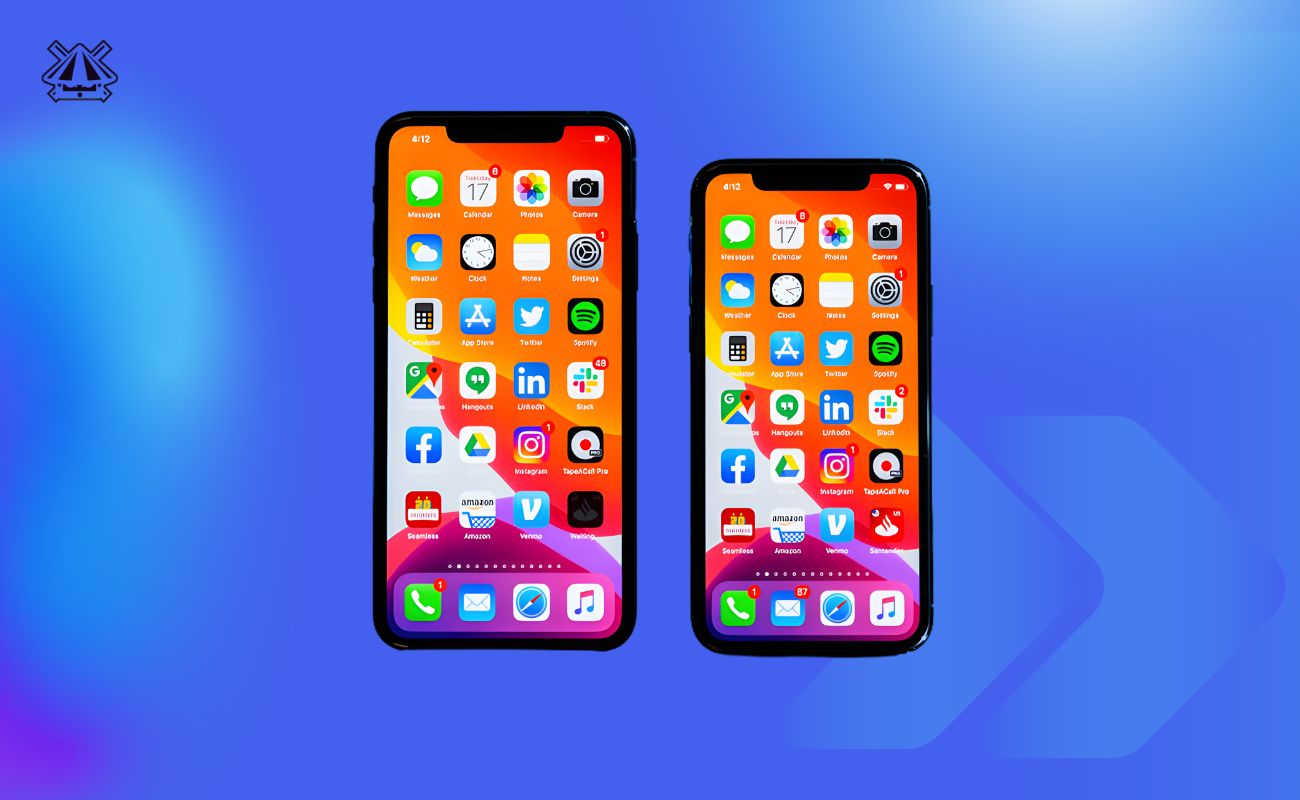
Choosing the right Free iPhone apps can make daily life in the Philippines much easier and more budget-friendly. In 2025, with rising costs and a fast-paced lifestyle, Filipinos rely on digital tools for everything from paying bills and commuting to shopping and learning.
This guide covers the must-have, free iPhone apps that Pinoys love-spanning finance, productivity, communication, shopping, and more. Read on to find out which apps can help you save money, stay productive, and enjoy life in the Philippines.
Quick Comparison of Top 10 Free iPhone Apps for Filipinos
| App Name | Category | Best For | Why Filipinos Love It |
|---|---|---|---|
| GCash | Finance/E-wallet | Paying bills, sending money | Widely accepted in stores, many promos and rewards |
| Maya | Finance/Digital Bank | Digital banking and spending | All-in-one wallet/banking, easy savings |
| Shopee | Shopping/E-commerce | Bargain hunting, daily deals | Huge sales events, free shipping vouchers |
| Grab | Mobility & Delivery | Commuting, food delivery | Rides + deliveries + e-wallet in one app |
| Google Maps | Navigation | Driving, transit directions | Reliable maps with traffic info, local businesses |
| Messenger | Communication | Chat and video calls | Ubiquitous for texting Filipinos, group calls |
| TikTok | Entertainment/Social | Short local videos & trends | Endless Filipino content, viral challenges |
| Google Drive | Productivity/Cloud | File storage and sharing | Free 15GB storage, easy collaboration |
| Lazada | Shopping/E-commerce | Varied products, brand deals | “All Shipping On Us” deals, flash sales |
| Sakay.ph | Transportation/Transit | Public transport routing | Local jeepney/bus routes and fare estimates |
1. GCash (Finance)
Category: Finance / E-Wallet
What it does: GCash is the Philippines’ leading mobile wallet app. It lets you send and receive money, pay bills, buy mobile load, shop, and even invest or save- all from your iPhone.
Why useful for Filipinos: GCash has become a must-have for many Pinoys. With GCash, you can quickly pay for Meralco or Maynilad bills, buy load for your Globe/Smart phone, or send money to family without going to a bank or store.
Over time, it has partnered with sari-sari stores and major merchants across the country, so you can tap your phone to pay almost anywhere. In 2025’s inflationary environment, the free promos and rewards in GCash help stretch every peso.
Key Features:
- Money Transfers: Send GCash-to-GCash or to any bank instantly. You can also split bills by sending requests to friends.
- QR Payments: Pay at thousands of stores by scanning a QR code (even in small shops).
- Bills Payment: Pay utilities (electricity, water, internet, etc.) in a few taps. You’ll get e-receipts.
- Mobile Load: Instantly load your own or others’ prepaid phone.
- Invest & Save: Invest small amounts in GCash stocks, bonds, crypto, or open a GSave digital savings account with interest.
- Cash In/Out: Easily top up via banks, convenience stores (e.g. 7-Eleven CLiQQ), or withdraw cash at partner outlets.
- Promos & Rewards: Earn points on transactions to redeem free data, vouchers, or raffle entries. Frequent GCash promo deals (e.g., cashbacks or discounts on bills and food deliveries) help cut costs.
Who should use it: Practically everyone! Students use GCash to pay tuition and split pizza bills; workers use it for salary transfers and bills; freelancers get paid into GCash. Online sellers rely on it to accept payments. Even commuters can pay their train/bus fares or jeepney rides (via QR) with GCash.
Pros: Intuitive interface, no monthly fees for basic use, widely recognized across merchants. It promotes financial inclusion (even the unbanked can sign up).
Limitations: You need a smartphone and an internet connection. Occasionally, there are user-reported glitches or maintenance periods. Cash-in and cash-out have minor fees after a certain limit. Very rural areas might have fewer cash-in partners (though expanding).
Tips for Filipinos: Link GCash to your local bank accounts to easily cash in without fees. Tap to Pay is supported at major partners like Jollibee and Mercury Drug for contactless payments. Always claim your daily Free Shipping voucher in Shopee or Lazada and pay with GCash Pay to maximize savings.
Check the “GCash Forest” feature – your spare change can help grow virtual trees that plant real ones, tapping into Philippine environmental efforts.
2. Maya (Finance)
Category: Finance / Digital Bank
What it does: Maya (formerly PayMaya) is an all-in-one money app that combines e-wallet and digital banking. You can get a free virtual or physical Maya Mastercard, save money, invest, and perform everyday financial tasks.
Why useful for Filipinos? Maya is loved for being a borderless wallet. Filipinos can use it even without a traditional bank account.
It’s especially handy for those who travel abroad or deal in dollars – Maya offers easy foreign currency transactions. It has a very user-friendly interface, making digital finance simple for anyone. In 2025, Maya’s strong security and zero-maintenance balance appeal to budget-conscious users.
Key Features:
- E-Wallet & Card: Load money and use the free Maya card online or in any Mastercard POS (nationwide shops and overseas).
- Money Transfers: Send or receive money from other Maya users and partner banks.
- Saving Tools: “SafeLock” feature locks funds like a savings jar with interest; “AutoSave” lets you round up payments to save.
- Investments: Trade stocks, mutual funds, or cryptocurrencies directly in-app with small amounts (even PHP 50).
- Bills Payment & Load: Pay bills and buy load just like GCash.
- Promo & Rewards: Occasional cashback or discount vouchers (e.g., fuel discounts at partner gas stations).
- Overseas Spend: Lock in a better USD/PHP rate or pay bills in dollars with Maya’s multicurrency features.
Who should use it: Anyone wanting a digital alternative to a bank. If you’re a frequent online shopper (especially on international sites), a student or OFW who needs easy USD transactions, or someone who wants to grow savings with minimal fees, Maya fits the bill.
It’s also great for Pinoys opening small online businesses since you can issue a free Visa/Mastercard to buy supplies online.
Pros: Modern UX, zero hidden fees (no minimum balance), many new features like a streamlined credit card application (for Maya Black). Offers lower fees when sending funds compared to some banks.
Limitations: Like any finance app, KYC (Know Your Customer) verification is needed. It’s only as secure as your phone (use two-factor authentication). Customer service is mostly in-app chat/email. Not all offline stores accept cards, so some cash-out trips might be needed.
Tips for Filipinos: Take advantage of Maya’s “Black” credit card tier if you qualify – earn cashback on groceries and toll fees. Use Maya Savings with a daily sweep – it gives interest rates higher than regular banks. Enable biometric login for security. When going abroad or ordering from overseas websites, use Maya and avoid hefty currency conversion fees from credit cards.
3. Shopee (Shopping)
Category: Shopping / E-commerce
What it does: Shopee PH is a free online shopping app where Filipinos can browse and buy anything from gadgets and clothes to groceries and beauty products. It’s known for its marketplace of millions of sellers and buyers.
Why useful for Filipinos: Shopee’s user-friendly app, combined with PH-specific promotions, makes it a top choice for budget-conscious shoppers. Every day, you can find mega sales (like 1.1, 11.11, 12.12) with slashed prices.
With cash-on-delivery and ShopeePay, even tech newbies can shop safely. It’s also a platform for small businesses and freelancers selling homegrown goods—perfect for hustling Pinoys.
Key Features:
- Daily Flash Deals: Limited-time offers on brand-name products at huge discounts (sometimes 50-90% off).
- Free Shipping Vouchers: Special vouchers that cover or reduce shipping fees on orders (up to certain amounts).
- Shopee Games: Interactive games (e.g., Spin & Win, Shopee Shake) to earn coins or tokens that convert to discounts.
- Live Commerce: Watch Shopee Live and chat with sellers or influencers, often scoring exclusive discounts.
- Secure Payments: Pay via ShopeePay (e-wallet), bank transfer, GCash, or cash on delivery.
- Seller Chat & Ratings: Ask questions directly to sellers, and read reviews/ratings for peace of mind.
- Flashcoins & Shopee Coins: Earn coins from games, check-ins, and purchases. Use coins to pay for part of your order, stretching your peso further.
Who should use it: Basically, everyone who loves a deal. Teenagers buying the latest gadgets, moms stocking up on family essentials, online sellers sourcing supplies, or anyone wanting competitive prices on electronics or clothes. Because of COD and easy returns, even first-time online buyers feel comfortable here.
Pros: Enormous selection of items, frequent cashback and coin promos, very Philippine-local experience (Filipino sellers and customer service). Official “Shopee Mall” ensures the authenticity of big brands. The app is available in English and Taglish, making it very accessible.
Limitations: Delivery can sometimes be slow (especially if shipping from other islands). Not all sellers are fully verified, so you must check ratings to avoid scams. The interface is busy with ads and suggested items (which might tempt overspending). It can be addictive to join too many games or live streams, so watch your budget.
Tips for Filipinos: Always collect the daily free shipping voucher (stack them on checkout). Use ShopeePay and link your GCash or Maya for extra discounts and freebies.
During sale days, “flash buy” early at midnight to snag limited stock deals. Follow local Shopee celebrity influencers (many are Pinoys) for special promo codes. Sell your own preloved items on Shopee for extra income-some Filipino youth do this to earn pocket money.
4. Grab (Mobility & Delivery)
Category: Mobility, Food & Parcel Delivery
What it does: Grab is an “Everyday Everything App” in Southeast Asia. In the Philippines, it lets you book rides (car or motorbike), order food (GrabFood), and even send packages (GrabExpress) – all from your iPhone.
Why useful for Filipinos? For city dwellers, Grab is a godsend. Instead of flagging a taxi on the street, you tap Grab for a nearby ride or motorcycle taxi. Forgot to buy groceries?
Use GrabMart to get items delivered. Hungry at midnight? GrabFood gets you your favorite silog or rice meal in an hour. Especially in congested Manila roads, Grab’s variety (GrabCar, GrabTaxi, GrabBike) offers safer and often more affordable transport than street hailing.
Key Features:
- Ride-hailing: Reserve cars (GrabCar) or bikes (GrabBike) with upfront fare estimates and driver info.
- Food Delivery: Order from thousands of restaurants, fast-food chains, or even sari-sari stores. Real-time tracking shows where your driver is.
- Parcel Delivery (GrabExpress): Send small packages or documents door-to-door within cities quickly.
- GrabMart: Same-day delivery of groceries, over-the-counter meds, or convenience store items.
- Cashless Payment: Link GrabPay Wallet (load via GCash/Maya) for seamless cashless transactions. Earn GrabRewards points on every spend.
- Promos & Discounts: Grab often has discounts (e.g., first ride free, free delivery, or partner promo codes from brands like Jollibee or Pizza Hut).
- Safety & Convenience: In-app SOS alert, driver ratings, and mandatory face mask detection (still relevant post-pandemic).
Who should use it: Daily commuters, office workers, or students who need a safe ride or a food delivery after late classes. Busy parents can use GrabMart instead of physically going out.
Online sellers and buyers benefit from GrabExpress for quick deliveries of small parcels. Travelers also find Grab easier than local cabs, since you get estimates upfront.
Pros: Widely available in major cities (Metro Manila, Cebu, Davao, etc.) and expanding to nearby provinces. Often cheaper than traditional taxis or buying a car. Integration with GCash means you don’t have to deal with small bills. The app’s interface is polished and easy to navigate.
Limitations: Peak times can mean surge pricing (fares multiply by 1.2x or more during rush hour or bad weather). Motorbike taxis (GrabBike) are not allowed in all areas. Some drivers may cancel last minute if traffic or weather is bad. You need mobile data/GPS—rural coverage can be spotty.
Tips for Filipinos: Combine GrabPay with GCash or Maya to earn points in both apps. Watch out for Grab’s promo calendar (e.g., weekdays discount codes). If you plan to take multiple rides, consider booking a “Schedule” in advance.
Tip your drivers in-app if they were exceptionally helpful (a small thank-you goes a long way). Use GrabDriver mode (if you’re a driver) to earn extra or offer package deliveries after your shift.
5. Google Maps (Navigation)
Category: Navigation / Maps
What it does: Google Maps is the ubiquitous map and navigation app. It provides turn-by-turn directions for driving, walking, biking, or using public transit. You can also search for any place (business, landmark, restaurant) and get reviews or contact info.
Why useful for Filipinos: With Manila’s traffic and complex road network, Google Maps is an essential companion. It shows real-time traffic conditions (so you can avoid EDSA jams) and suggests alternative routes. It covers major cities and even smaller towns in the Philippines.
Need to find a jeepney stop or a 24-hour bakeshop? Google Maps will guide you. Many businesses include their contact numbers or FB pages right in Maps, making local living easier.
Key Features:
- GPS Turn-by-Turn Directions: Navigate anywhere by car or foot. The app uses your iPhone’s GPS to show where you are in real time.
- Traffic & ETA: See slowdowns and estimated travel times updated live. (In Manila’s rush hours, this is a lifesaver.)
- Public Transit Directions: Plan trips using MRT/LRT, PNR, UV Express, buses, and jeepneys (coverage improving in Metro Manila).
- Offline Maps: Download a city or region map to your phone so you can navigate without using mobile data.
- Business Search: Look up restaurants, hospitals, gas stations, ATMs, shops, etc. Read user reviews and see photos.
- Street View: In some areas, virtually explore streets. Handy for finding landmarks or checking a place before you go.
- Save & Share: Save favorite places (like your home or work) and share them with friends.
Who should use it: Anyone going out and about. Drivers avoiding traffic jams, commuters checking train schedules, or a tourist exploring Manila or the provinces. Delivery riders, Grab/Angkas drivers rely on it. Families saving restaurant bookmarks can share them. Even students mapping out new school routes will find it useful.
Pros: Continually updated by Google, very detailed in the Philippines compared to many maps. Integrates with Google Search, so info is accurate. The speech navigation (English or Filipino) is reliable.
Limitations: Some small streets or new road changes (e.g., new bypasses or road closures) may not appear immediately. In remote provinces, detailed mapping is slower. Using it drains data and battery, though offline mode mitigates data use.
Tips for Filipinos: Before traveling, download the map for your city (e.g., “Manila offline map”) on Wi-Fi. Use the “Save Parking” feature if you have trouble remembering where you parked in a mall.
If you spot an incorrect road name or a missing store in the app, you can suggest an edit to improve accuracy. Try the “Explore” tab for recommended restaurants or events near your location—many Pinoy places get reviewed there.
6. Messenger (Communication)
Category: Communication / Chat
What it does: Facebook Messenger is a free chat and video-calling app tied to your Facebook account. It allows one-on-one or group texting, voice/video calls, and media sharing.
Why useful for Filipinos: In the Philippines, Facebook Messenger is everywhere. According to recent surveys, the vast majority of Filipino smartphone users have it installed. It’s common for families, friend groups, and school classes to create Messenger groups.
Since many Pinoys already have Facebook accounts, Messenger is a convenient bridge that requires no new sign-ups. It also works with limited data and even on slower connections, making it accessible.
Key Features:
- Free Chats & Calls: Text chat or do voice/video calls with individuals or groups (video chats can include up to 50 people using “Messenger Rooms”).
- Stickers & GIFs: Express yourself with lots of Filipino-themed stickers or fun GIFs. Messenger even has the famous “More Filipino Love stickers.”
- Send Photos/Videos/Docs: Share your latest travel pics or school project files. You can also send location pins to help friends find you.
- Watch Together: View Facebook videos or Facebook Watch content with friends during a video chat.
- End-to-End Encryption (Secret Conversations): Optional setting for added privacy, though regular chats are not E2E by default.
- Games & Extensions: Play simple games (e.g., Uno, 8 Ball Pool) directly in chat threads for a quick break.
Who should use it: Pretty much anyone with an iPhone in the Philippines. Families spread across provinces use it to keep in touch. Students form study or org groups. Coworkers on projects chat outside of work hours. Even neighborhood groups or hobby clubs have Messenger chats.
If you mostly communicate with relatives overseas or Filipino friends locally, Messenger is practically unavoidable.
Pros: Almost everyone has it, so you don’t need to convince people to install a new app. It has lots of features (stickers, payments in some regions) and works cross-platform. It’s generally reliable even on 3G or 4G. You can pin important chats to the top.
Limitations: You need a Facebook account to log in. The interface has ads and games that may be distracting. It can be a battery hog if left open. Also, because it’s so popular, it can be hard to keep notifications in check (lots of messages!).
Privacy-minded users may be wary, since Facebook owns it. (For stricter privacy, some Pinoys use Telegram or Signal, but they are far less common here.)
Tips for Filipinos: Use “Polls” in group chats (e.g., for planning an outing or voting on a cake flavor). Create a secret conversation for very sensitive info (like account details) since it’s end-to-end encrypted. Use the “Stories” feature to share quick status updates with friends.
Keep your app updated, as Facebook often adds PH-relevant stickers or features (like seasonal stickers around Pasko). Also, if you have business inquiries, you can generate a Messenger link (m.me/yourpage) to share on social profiles so customers can message you directly.
(Alternatives: WhatsApp and Viber are also popular in the Philippines. WhatsApp works with just a phone number and is widely used by OFWs and younger Filipinos. Viber is common among families and older users. These are worth trying too, but are listed in the Honorable Mentions below.)
7. TikTok (Entertainment/Social)
Category: Entertainment / Social Media
What it does: TikTok is a short-form video platform where users create, share, and view 15- to 60-second videos (and sometimes up to 10 minutes). It’s known for its viral challenges, dances, comedy skits, and how-to clips.
Why useful for Filipinos? In recent years, TikTok has exploded in popularity in the Philippines. It’s a hotspot for Filipino creativity and trends. Every “Filipino trend” or catchy OPM song gets interpreted on TikTok by local users.
It’s also educational in a fun way: Pinoys share quick life hacks, cooking tutorials for lechon paksiw, or exam motivation tips. If you want to learn dance steps to the newest Pinoy pop hit or just catch up on bugnaw and hambog memes, TikTok is where it’s at.
Key Features:
- For You Page (FYP): Infinite scroll of videos customized to your interests by TikTok’s algorithm. The more you watch and like, the more Filipino content it feeds you.
- Video Creation Tools: Record and edit your own clips with filters, AR effects, and popular local music. Include text, animations, or fun transitions.
- Duet & Stitch: Use other people’s videos to collaborate. E.g., sing along to someone’s karaoke video (duet) or incorporate the first part of their video in your clip (stitch).
- Hashtag Challenges: Participate in trending Philippine challenges (like #SaranggolaChallenge or #FilipinoFood).
- TikTok LIVE: Watch live streams by Filipino influencers or even do your own live session (if you’re 18+ and have enough followers) and earn “gifts” from viewers.
- In-App Messaging: Chat with friends on TikTok or share videos privately.
Who should use it: Mainly the young and young-at-heart. Teens and college students for sure (it’s a break during study hall!). Even small business owners follow TikTok trends to market their products (e.g., a sari-sari store showcasing new snacks).
Families bond over watching Lolo’s cooking videos or toddler dance-offs. Note: while anyone can scroll and watch, creating content is optional.
Pros: Free to use with endless content variety. Very entertaining during commute or downtimes. Many Filipinos have found part-time jobs making TikToks (becoming “TikTokers”). It’s lighter on data than YouTube and loads quickly. Discoverability is high – a Pinoy video can go viral nationwide easily.
Limitations: It’s incredibly engaging, so it can eat up hours of your time without noticing (be careful not to overdo it at work or school!).
The algorithm can show repetitive content if you’re not mindful (e.g., keep seeing dancing videos). There are ads between some videos unless you subscribe to TikTok Plus. Some parents worry about inappropriate content – TikTok has family safety modes to filter mature content. Also, there have been periodic bans or hearings about security concerns, but as of 2025, it’s still widely accessible in the PH.
Tips for Filipinos: Follow local creators (search “Philippines” or “Filipino TikTok”) to see content in Tagalog or English. Use TikTok to learn skills (many tutorial videos exist, e.g., language lessons or quick recipes).
Be respectful of copyright when using music. If you create videos, use trending P-pop or OPM tracks and hashtags to get more views. Use the “Digital Wellbeing” settings to limit daily screen time if you find TikTok too addictive.
8. Google Drive (Productivity/Cloud Storage)
Category: Productivity / Cloud Storage
What it does: Google Drive is a cloud storage service that gives you free space to store your files (15 GB at no cost) and access them from anywhere. It also includes Google Docs, Sheets, and Slides – free office apps for writing documents, spreadsheets, and presentations collaboratively.
Why useful for Filipinos: Filipino students and workers rely on Drive to collaborate on group projects, store important documents, or back up family photos. Rather than emailing yourself homework, you can upload it to Drive. It syncs across devices, so you can start writing a report on your iPhone and finish on a laptop.
In the Philippines, where power outages or mobile data limits can be a challenge, Drive’s offline mode and autosave are lifesavers. In 2025, as hybrid work and online schooling continue, a robust cloud solution is essential.
Key Features:
- Free Storage: 15 GB shared across Drive, Gmail, and Photos. Enough for documents and some media.
- Offline Access: Mark files or folders “Available offline” so you can open/edit them without internet (great for business flights or provinces).
- File Sync & Share: Upload any file type (photos, PDFs, videos). You can share a folder or document link with anyone – say, submit your report by sharing the file link.
- Google Docs/Sheets: Create and edit Word documents or spreadsheets directly in the app. Live collaboration means classmates can work on the same doc simultaneously.
- Search & OCR: Drive can search inside your documents or even text in images (e.g., take a photo of a book page, and Drive’s search can find words from it).
- Integration: Easily import files to other Google apps (like Gmail attachments you save to Drive), and vice versa.
Who should use it: Students storing notes and assignments, teachers distributing handouts, freelancers saving receipts and invoices, remote workers sharing briefs, and families keeping photos or major documents (like Baptism certificates) in the cloud.
Also, journalists or content creators save scripts and media on Drive for easy access.
Pros: Trusted Google security and reliability, works seamlessly on iOS with automatic syncing. Can restore old versions of docs if you make a mistake. Sharing settings allow precise control (viewer, commenter, editor).
Limitations: The free 15 GB can fill up (especially if you have a Gmail account with many attachments or large photos). Once it’s full, you either need to delete things or pay for extra (Google One).
The app itself can take up significant space on your phone if you cache many files. And you need a Google login (though that’s free).
Tips for Filipinos: Combine it with Google Photos for unlimited photo backup in “Storage saver” mode (so your travel and fiesta pictures don’t eat up Drive). On limited data, turn off photo/video auto backup. Organize files in clearly named folders – e.g., have separate folders for “School”, “Work”, “Receipts”.
If you frequently collaborate, use the “Starred” or “Shortcut” feature to quickly access shared files or important docs. Install Google Docs and Google Sheets apps as well for specialized editing tools. If privacy is a concern, remember to log out or remove accounts when sharing your iPhone.
9. Lazada (Shopping)
Category: Shopping / E-commerce
What it does: Lazada Philippines is another top online marketplace. It’s like a one-stop mall on your iPhone: electronics, fashion, home essentials, and even groceries – with the bonus of “All Shipping On Us” (free shipping deals).
Why useful for Filipinos: Lazada runs massive sale events (11.11, 12.12, Black Friday, etc.) similar to Shopee, but often with strong partnerships with big brands in the Philippines (LazMall showcases official brand stores).
This means many Pinoy shoppers trust it for authentic products. Lazada also tends to have quicker delivery for certain barangays (since it’s backed by Lazada warehouses in Metro Manila). Filipinos who missed deals on Shopee check Lazada next – sometimes the same item is cheaper.
Key Features:
- Flash Sales: Limited-time offers with extremely low prices (sometimes complete knocks-offs) on hundreds of items, starting at midnight.
- Mega Campaigns: Seasonal events often feature local celebrities or co-branded promos (Pinoy artists or Christmas themes).
- LazMall: A section of official brand stores ensuring genuine goods and typically offering 100% money-back guarantee if fake.
- Vouchers & Wallet: Lazada offers store vouchers and Lazada Wallet (LazPay) promos for discounts or quick refunds on returns.
- Live Streaming: Some sellers use LazLive to showcase products in real-time, where viewers can buy while watching.
- Chat with Seller: Just like Shopee, you can message sellers directly to negotiate or ask questions.
Who should use it: Filipinos who enjoy variety in shopping and want official brand deals. If you need electronics or gadgets, Lazada often has good bundles. Mothers looking for baby products or men’s activewear during sales will find bargains. Online sellers sometimes source bulk items (like phone accessories or clothing) here, too.
Pros: Big sales mean big savings (sometimes free items in giveaways). The interface highlights freebies (like free shipping from certain malls). Customer protection is strong, and you can pay cash on delivery if you prefer.
Limitations: Similar to any large marketplace, you need to vet sellers. Flash sales get sold out in seconds, so you need to be quick. The app and website can get laggy during big events due to high traffic. As with Shopee, it’s easy to overspend with so many deals flashing.
Tips for Filipinos: Take advantage of “All Shipping On Us,” which effectively provides free shipping on select deals. Stack vouchers – e.g., promo code + LazPay voucher + bank promo. Before big sales, prepare your cart and set reminders (some sellers allow pre-order booking).
Use Lazada’s “Search by Image” feature to find cheaper alternatives (just snap a photo of a product you saw offline). If you sell on other platforms, Lazada’s “Bundle Deals” can help increase your sales traffic (e.g., offer 3 for a special price on products).
10. Sakay.ph (Transportation / Local Transit)
Category: Transportation / Local Transit Planning
What it does: Sakay.ph is a Philippine-made navigation app focused on public transportation. It provides step-by-step transit directions in Metro Manila (and nearby areas), specifically covering Jeepneys, buses, UV Express shuttles, trains (MRT/LRT/PNR), eJeepneys, and even the Pasig River Ferry.
Why useful for Filipinos? While Google Maps is great, it doesn’t fully capture local jeepney or bus routes. Sakay.ph does. It tells you exactly which Jeepney numbers to take, where to board, and how much the fare is (even giving a range in pesos). It also compares which option is faster or cheaper.
For Pinoys and visitors navigating the maze of Manila transport, Sakay.ph is a lifesaver. In 2025, as public transit tries to recover and expand post-pandemic, having the latest P2P bus routes and retraced jeepney lines right in your pocket is priceless.
Key Features:
- Comprehensive Route Database: Community-sourced info on hundreds of Jeepney and bus routes not found on mainstream maps.
- Step-by-Step Directions: Unlike generic turn-by-turn, Sakay gives instructions like “Walk to corner of EDSA and Taft Avenue, take MRT to Magallanes station, then jeepney 11 to Ortigas”.
- Cost & Time Comparison: Shows estimates of travel time versus taxi or Grab and approximate fare (e.g., ₱8-₱15 for jeepney).
- Multiple Modes: Compare jeepney/bus vs. car vs. walking for each route. Choose what suits your budget or urgency.
- Offline Data: Once downloaded, many routes are available without internet (handy underground in MRT or when data is off).
- Community Edits: If a new route exists, Sakay invites users to submit it, keeping the map up to date.
Who should use it: Daily commuters on public transit in Metro Manila, Makati, Cebu City (if updated), etc. Students riding jeepneys to school, office workers saving money by taking buses, or anyone who can’t afford frequent Grab rides.
Even Grab drivers use it to suggest cheaper alternative routes. It’s invaluable for those who don’t have Google navigation for Jeepneys.
Pros: Very Philippine-specific – an app made by and for Filipinos. It won awards for tech innovation in PH. It’s free, ad-free, and doesn’t require signing in. The UI is simple and mostly bilingual (English/Taglish terms).
Limitations: Coverage is mainly Metro Manila and adjacent provinces (some regions may not be fully supported yet). It requires learning to use its format (it’s not like just typing your address).
Because it’s community-driven, some lesser-known shortcuts or new routes might be missing (though updating is easy). It also doesn’t help with ride-hailing; it’s purely for transit guidance.
Tips for Filipinos: Before a daily commute, check the Compare tab in Sakay – it might save you a few minutes or pesos by taking a bus instead of multiple jeepneys. Use it offline, underground, or in areas with spotty signal to find your way around train transfers.
Contribute route info by using the Sakay forum or even just the developer’s Twitter – this crowdsourced model means the app grows better as we all chip in. And if you spot a “Libreng Sakay” (free shuttle) for emergencies or events, Sakay will often list those in a notice.
Honorable Mentions (Other Free Apps Worth Installing)
Here are a few more free iPhone apps popular in the Philippines. They didn’t make the top 10 list, but many Filipinos find them super useful:
- WhatsApp (Communication): A free messaging app via phone number. Widely used by students and OFWs, it offers group chats and voice/video calls. Many families use it for convenient, data-light chatting across networks.
- Viber (Communication): Another chat app popular among Pinoys. Good for calling landlines/mobile at low rates and has official accounts (e.g., from Smart/Globe for promos).
- Spotify (Entertainment/Music): Offers a free music streaming tier with ads. Filipino listeners can enjoy OPM playlists and podcasts. Great for studying or workouts.
- Duolingo (Education): A fun language-learning app. Many Filipino students and professionals use Duolingo to improve English (or even study Korean/Japanese) for free.
- CamScanner (Productivity): Turns your iPhone camera into a scanner. Handy for students digitizing notes and receipts, or for remote workers signing documents on the go.
- Carousell (Shopping/Buy & Sell): A marketplace for secondhand goods. Filipinos use this to buy/sell preloved items like smartphones, furniture, or even clothing. It’s a way to earn extra pesos or find bargains.
- Pinoy Weather (Utility): A local weather app developed by Filipinos. It provides personalized forecasts, voice alerts for typhoons, and regional insights. Very useful during typhoon season.
- Kumu (Social/Streaming): A Filipino livestreaming and short-video platform. Think of it as a Pinoy version of a Twitch/TikTok hybrid, where creators earn cash gifts from viewers. Popular among young Filipinos who want to be livestreamers or just watch local talent.
- Facebook (Social): Still one of the most-used apps. Although not “specialized,” it’s how many Pinoys get news, sell on Marketplace, and connect with communities.
How to Choose the Best Free iPhone Apps in the Philippines
With millions of apps on the App Store, here’s how Filipinos can pick the best free ones safely and wisely:
- Check Storage & Compatibility: Before downloading, check the app size and your available storage (Settings > General > iPhone Storage). High-quality apps (like Google Maps or Grab) can be over 100 MB. Make sure your iPhone’s iOS version supports it (some apps need the latest iOS 17 or higher). Low on storage? Prioritize apps you’ll use daily and consider offloading or deleting rarely used ones.
- Watch Data Usage: Many useful apps use data (e.g., navigation maps, streaming, downloads). Turn on Wi-Fi for large downloads or app updates. For navigation apps, consider downloading offline maps when on Wi-Fi. Within settings, you can restrict which apps use cellular data (Settings > Cellular) to avoid surprise charges.
- App Reviews & Developer: Only install from the official App Store. Check the developer name (official brands like “GCash Inc.,” “GrabInc,” or “Google LLC” are trustworthy). Read user reviews in the App Store, looking for common praise or complaints. Filipino reviewers often comment on whether an app is great locally or has had recent issues.
- Permissions & Privacy: Free apps will request permissions. A map needs a location, a scanning app needs a camera, etc. If a simple task app requests unusual access (like a game asking for your contacts or photos), be cautious. Go to Settings > Privacy after installing, and limit access if you’re not comfortable. Use Face ID or a strong passcode on your iPhone, especially for finance apps like GCash or Maya.
- Scam/Fake Apps: There are scam or phishing apps that mimic real ones (e.g., a fake “GCash Wallet Pro”). Avoid apps with generic names or very few reviews. Always match the official name and icon. If unsure, check the company website – they usually link to the authentic App Store listing. For example, GCash’s website links directly to the App Store.
- Check for In-App Purchases: Even though an app is free to download, some features might have in-app purchases (IAP). For instance, TikTok lets you buy coins to send gifts, or Duolingo has a subscription for no ads. Read the app’s description – it will state “Offers In-App Purchases” if applicable. You can still use all basic features for free.
- Reviews for Philippine Use: Some apps are global, some are PH-specific. In the App Store, region-specific apps often mention “Philippines” in their description (like Sakay.ph) or have ratings from local users. This ensures the app is relevant to the Pinoy context.
- Avoid Clones/Fake Reviews: Beware of apps that claim “Official GCash” but are by unknown developers. Also, very high ratings with spammy comments like “Nice” or many 5-stars in a row could be fake. Filipino tech blogs or forums (like local Reddit or Pinoy tech pages) can give hints about which apps are legit.
By following these tips, Filipino users can build a safe and useful app arsenal. Always update apps regularly to get the latest features and security patches.
Conclusion
These free apps are must-haves for Filipino iPhone users in 2025. They cover everyday needs: managing money (GCash, Maya), shopping on a budget (Shopee, Lazada), commuting smartly (Grab, Sakay.ph, Google Maps), staying connected (Messenger, TikTok), and getting work done (Google Drive). With the Philippine digital lifestyle evolving, these apps help save money, time, and effort.
Try them out and see which ones fit your routine. You may customize your own top 10—for example, if you’re a commuter, Sakay.ph might be indispensable; if you’re a student, Google Drive or Duolingo become staples.
Remember, all of these apps are free to install, so there’s no harm in exploring a few and keeping your favorites. Bookmark this list for easy reference, share it with your kapwa Pinoys, and enjoy a more convenient, connected 2025.