
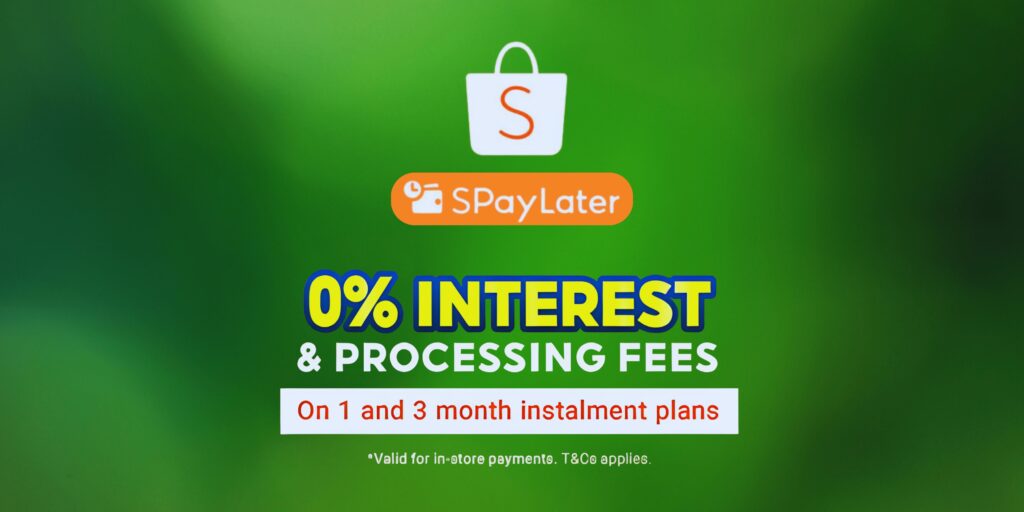
Shopee PayLater Philippines (also called SPayLater) is Shopee’s buy-now, pay-later (BNPL) service that lets shoppers split their purchases into monthly installments. It’s become a popular payment option in the Philippines for those who want more flexibility than a one-time payment, without having to apply for a credit card.
In this Shopee PayLater review Philippines, we’ll explain what SPayLater is, how it works, and whether it’s worth using. We’ll cover eligibility, activation, payment terms, fees, promos, and even compare SPayLater with other BNPL services like Lazada PayLater, Atome, and GCash GGives. By the end, you’ll know exactly how to use Shopee’s flexible payment plan and whether it suits your needs.
BNPL schemes like SPayLater have grown popular in the Philippines because they let buyers manage cash flow. Instead of paying the full price upfront, users can buy now and pay in installments. This can make big-ticket items more affordable or help spread expenses over time. However, BNPL still involves interest or fees, so it’s important to understand the fine print. In the next sections, we’ll dive deep into the details of Shopee SPayLater and guide you through everything you need to know.
What Is Shopee SPayLater?
Shopee SPayLater is a buy now, pay later (BNPL) feature on Shopee’s platform. In simple terms, it’s a short-term credit line for approved Shopee users. When you have SPayLater enabled on your account, you can check out purchases now and pay for them in monthly installments (instead of paying the full amount immediately).
Here’s how SPayLater fits into Shopee’s payment ecosystem:
- ShopeePay vs. SPayLater: ShopeePay is Shopee’s e-wallet – think of it like a digital cash balance you can top up and use for purchases. SPayLater, on the other hand, is more like a credit line. With SPayLater, Shopee (through its partner bank) lends you money for purchases, and you repay over time. In other words, ShopeePay is “money you already have,” while SPayLater is “money you borrow to use now.”
- BNPL in Shopee: BNPL stands for “buy now, pay later.” It’s a modern form of credit for online shopping. In Shopee, SPayLater is the official BNPL plan. When you select SPayLater at checkout, you’re using a BNPL loan provided by Shopee’s financing partner (CIMB Bank Philippines). You then agree to repay in equal monthly installments.
- Who can use it? SPayLater is generally targeted at responsible shoppers: those who want convenience and flexible payments. It’s ideal for users without credit cards or those who prefer not to use credit cards. Filipinos might use it for emergency purchases, electronics, appliances, or any cost they want to spread out without losing access to online sales or promotions.
In short, Shopee SPayLater is Shopee’s built-in installment plan for shoppers. It lets you grab deals on Shopee now and spread the cost over 1, 3, 6, or 12 months (terms vary by promotion). It’s important to remember that SPayLater is a form of credit, so you should use it responsibly and understand the fees involved.

How Does Shopee PayLater Work?
When activated, Shopee PayLater works much like a mini personal loan tied to your Shopee account. Here’s a step-by-step breakdown:
- Activation and Credit Limit: Once eligible, Shopee gives you a SPayLater credit limit (say ₱10,000). This is the maximum amount you can have “outstanding” at any one time. For example, if you have a ₱10,000 limit and already owe ₱6,000 on a current purchase, you can only spend ₱4,000 more on new SPayLater transactions until you pay down the balance.
- Checkout Process: To use SPayLater, browse the Shopee app or website and add items to your cart. At checkout, when you choose a payment method, select ShopeePay or ShopeePay & Wallet. There you should see an option to use SPayLater (sometimes under a “BNPL” or “PayLater” label). Tap SPayLater and pick your installment plan (1, 3, 6, or 12 months, depending on what Shopee offers for that purchase).
- Choosing a Plan: After selecting SPayLater, you’ll choose how many months to pay. Shorter terms usually mean lower total interest/fees but higher monthly payments; longer terms spread out payments but incur more interest/fees overall. For example, a 1-month plan might have a 0-1% fee (essentially a one-time full payment), while a 12-month plan could have a few percent fee each month.
- Confirm and Buy: Shopee will show you the monthly payment amount, interest fee, and total to be repaid. If you agree, confirm the purchase. You don’t pay anything extra at checkout besides any applicable down payment (for SPayLater, there usually isn’t a down payment, just the first installment on the due date). The item is then sold to you as if paid in full, but Shopee’s partner bank covers the cost up front.
- Repayment: You repay the borrowed amount (plus interest/fees) over the chosen period. Each month, you pay a fixed installment (unless you have auto-payment set up). Shopee usually issues a monthly bill or statement in the app, reminding you of the due amount and date.
- Revolving Credit: After you pay off one purchase, you can use SPayLater again for new purchases, up to your limit. On-time payments over time can sometimes lead to a higher credit limit or better rates.
Payment Terms
- Installment Options: Shopee typically offers 1, 3, 6, and sometimes 12-month plans (occasionally promotions or certain merchants may offer more options). The exact terms available depend on the seller and ongoing Shopee promotions. For example, Shopee often has 0% interest promotions for 3 or 6 months, especially during big sales (with some admin fee).
- Interest vs. Zero-Interest: By default, SPayLater charges interest (called an “installment fee”) on the loan. This can be anywhere from about 1% to 5% per month of the outstanding balance, depending on your account and the term. For example, Reddit users report seeing monthly interest rates around 2.45% to 3.90%. In some cases, Shopee runs special zero-percent interest deals on certain products or periods. However, “0% interest” often still involves a processing or admin fee (commonly around 1-5%). In practice, that means the total cost isn’t exactly 0%, it’s just labeled differently.
- Promotional Fees: Under some SPayLater promos, there is no monthly interest, but there may be a one-time fee (e.g., 3% or 5% of the loan). For instance, Shopee once offered “0% for 3 months” at checkout but added a 5% admin fee on the purchase. This means you effectively pay 5% more spread across 3 months, which is roughly 1.67% of the principal per month. Always read the fine print of any “0%” deal to see if a processing fee applies.
Key Points
- You typically don’t pay anything upfront when you choose SPayLater at checkout (unlike some layaway plans that require a deposit). The full purchase is disbursed to the seller immediately.
- Your first payment is due on your next billing cycle. Shopee will debit or prompt you to pay via the method you set (e.g., via ShopeePay wallet, bank transfer, GCash, etc.).
- Your SPayLater credit limit is “revolving.” Paying off a transaction frees up that credit to use again, much like a credit card.
- Caution: Just because SPayLater makes shopping easier, it’s still debt. If you miss payments, interest and penalties apply, and Shopee will freeze your SPayLater until you clear the dues.
How to Activate Shopee PayLater (Philippines)
Before you can use SPayLater, you must first apply and get approved. Here’s how activation generally works:
- Eligibility Requirements: Shopee sets criteria for who can activate SPayLater. While Shopee doesn’t publish strict rules, the general requirements include:
- You must be a Philippine resident (citizen or at least have local status) with a valid government-issued ID.
- You must be at least 18 years old (sometimes sources say 21, but others say 18; usually it’s 18+).
- You need an active Shopee account that is relatively established (having made some purchases and possibly having a verified ShopeePay wallet).
- Shopee (through its partner bank, CIMB) will perform a creditworthiness check. If you have no history of defaults and meet their risk standards, you’re more likely to get approved.
- No record of fraud or serious negative marks on your Shopee account.
- Account Verification: Make sure your Shopee account is fully verified. This often means:
- Verify your email and mobile number (Shopee usually sends OTP codes).
- Link or cash in your ShopeePay wallet (a funded ShopeePay account in good standing can improve eligibility).
- Complete any KYC (Know Your Customer) prompts Shopee might ask for, such as submitting a selfie or filling out personal info.
- How to Apply: In the Shopee app, tap the “Me” tab (bottom right corner), then tap “ShopeePay” at the top. In the ShopeePay section, look for “SPayLater” or “PayLater” and tap to open. If you haven’t activated it yet, there should be a prompt or button to “Activate SPayLater”. Tap through and follow the on-screen instructions, which may include reading terms and granting consent for the credit check.
- Approval and Credit Limit: After applying, you’ll either be instantly approved with a credit limit (common), or you may see a message that Shopee will review your application. Many users report getting credit limits (e.g., ₱5,000, ₱10,000, etc.) within minutes. The limit varies per person. If approved, your SPayLater is now active, and you can start using it at checkout up to that limit.
- Common Activation Issues: Some people may not get approved right away. Possible reasons include: a New Shopee account with no purchase history. Incomplete ShopeePay or Shopee account verification.Recent negative reports on credit or having too many loans. Already having SPayLater on another Shopee account (Shopee usually allows one per person). Technical or app errors (in which case, contacting Shopee support helps). If you’re not approved initially, you can try applying again later after building more Shopee activity (make a few small purchases with cash on delivery, verify your documents, use ShopeePay more, etc.). Shopee may improve your eligibility score over time.
How to Use Shopee PayLater
Once activated, using Shopee PayLater is straightforward. Here’s what to do when shopping:
- Checkout with SPayLater: After adding items to your cart, proceed to checkout. Under payment options, you’ll see ShopeePay (SPayLater) or “PayLater” alongside other options like credit card or GCash. Select SPayLater. The interface may show “Use ShopeePay Later” or a toggle for installments.
- Choose Your Installment Plan: Once SPayLater is selected, Shopee will ask you to pick your payment term. Available plans are typically 1, 3, 6, or 12 months (depending on the item and current promotions). The system will display the monthly payment amount and any total interest/fees for each option. Choose the plan that suits your budget. For example:
- A 3-month plan might be nearly the item price if interest is low or 0%.
- A 6-month plan will have smaller monthly payments but more total interest.
- Review Payment Breakdown: Shopee will clearly show:
- Principal amount: The original item cost.
- Installment Fee/Interest: The additional amount you pay on top.
- Total Payable: Sum of principal + fees.
- Monthly Payable: Amount charged each month.
- Confirm the Purchase: If everything looks good, confirm your order. No payment is taken immediately from you, aside from the item’s cost being recorded as a loan. The seller ships/delivers as usual. You’ll receive a notification of your SPayLater charge and the first payment due date.
- Eligible Products: Most products on Shopee are eligible for SPayLater, but there are exceptions. Generally, high-value items, electronics, furniture, appliances, and most goods are allowed. Some exclusions may include:
- Gift cards or vouchers (since they can already be a form of credit).
- Digital goods or reloads (some may be excluded).
- Third-party storefronts might opt out or only offer certain terms.
- Be sure to look for the SPayLater option at checkout; if it’s missing, that item may not qualify.
- In-store vs Online Usage: SPayLater is designed for Shopee’s online platform. You cannot use SPayLater at brick-and-mortar stores or other apps. Shopee does partner with some merchants for in-store QR code payments, but SPayLater specifically is meant for online Shopee purchases. For in-store shopping, you would need other payment methods like cash, card, GCash wallet, or a general GCash GGives (if still accepted by the merchant).
Tips for Using SPayLater
- Use it as Part of Checkout: SPayLater can cover your entire purchase, or you can split the payment. On some Shopee transactions, you can use part SPayLater and part ShopeePay balance, if the system allows split payment. This can help if your cart total exceeds your SPayLater limit.
- ShopeePay Vouchers: Be aware that some Shopee vouchers (like free shipping or discounts) may or may not apply when using SPayLater. Typically, vouchers tied to payment methods (like a credit card voucher) won’t apply, but general Shopee coins or seller vouchers often can.
- Apply SPayLater Vouchers: Occasionally, Shopee may give out vouchers specifically for use with SPayLater purchases (like ₱100 off on a pay-later purchase). Keep an eye on your Shopee notifications or voucher wallet for any SPayLater-specific deals.
- Shop Carefully: Even though you can afford more with installments, always consider whether you really need the item. BNPL makes it easy to buy, but it’s still a loan you must repay.
How to Pay Shopee PayLater
Paying your SPayLater bill is crucial. Here’s how to do it:
- Monthly Payments: Shopee will notify you of your bill after each statement cycle. You need to pay the installment by the due date to stay in good standing.
- Payment Methods: Shopee offers several ways to pay your SPayLater balance:
- ShopeePay Balance: If you have enough balance in your ShopeePay wallet, you can use it to settle the SPayLater bill.
- Instapay via Banks: You can use BancNet’s InstaPay through your online banking app. In practice, this means transferring money from your bank account to Shopee’s partner bank (SeaBank/Seabank PH). This is a free transaction and popular among many users.
- GCash or Maya: You can transfer via e-wallets. For example, in GCash, choose “Bank Transfer” and pick Shopee (SeaBank PH) as the recipient. Make sure to use InstaPay. Similarly, you can top up via Maya.
- Credit/Debit Card: The Shopee site currently does not allow paying SPayLater with a credit card (that would be redundant) – your e-money sources are used instead.
- Over-the-Counter (OTC): In some cases, you could pay via Dragonpay or other OTC channels, but the Shopee app will list available offline options if supported. (Typically, Instapay covers the main needs.)
- Auto-debit: You can set a default linked bank for automatic repayment. If you opt in, Shopee/CIMB will automatically debit your set bank account on each due date. This avoids late payments but requires keeping sufficient funds.
- Due Dates: SPayLater bills have monthly due dates. Typically, your first statement might be a few weeks after purchase (depending on billing cycles). After that, expect a monthly due date (often the same day each month). For example, if your first purchase was on May 20 and you chose a 3-month plan, you might owe a third of the balance around mid-June, July, and August. Shopee should send push notifications and email reminders.
- What Happens If You Miss a Payment: Missing an SPayLater payment has consequences:
- Late Fees: As per Shopee’s terms, a late payment fee of up to 5% per month is charged on any overdue amount. For example, if your bill of ₱1,000 is late, you could be charged an extra ₱50 (5% of ₱1,000) each month it’s late, until paid. Smaller delays (1-2 days) might incur minimal charges, but longer delays quickly add up.
- Account Freeze: If you don’t pay by the due date, Shopee will freeze your SPayLater account. This means you cannot make new SPayLater purchases until you clear your outstanding balance. In many cases, Shopee also restricts or freezes your linked Shopee account entirely if the debt is not paid – you may be unable to use other Shopee services.
- Collection Actions: Continued non-payment can lead to Shopee handing your account over to debt collectors. They have the right to collect by any lawful means. (Some users report receiving calls or messages from collections.)
- Other Shopee Benefits: Repeated missed payments can also affect your other Shopee privileges, like ShopeeMall and ShopeePay offers. In short, it will harm your Shopee experience.
- Early or Partial Payment: You are usually allowed to pay more than the minimum installment if you want. Pay attention: Shopee’s terms state that even if you pay off early, the billed interest for the full term might still be due. In practice, Shopee’s SPayLater automatically amortizes the total fees over each month, so paying early usually just clears the remaining balance. But double-check in your SPayLater statement if any final charges remain.
- How to pay SPayLater without the Shopee app: If you don’t have the app handy, you can still pay via other means:
- Shopee Website: Log in to Shopee.ph on a browser, go to “Me” (your account), find ShopeePay & Wallet or SPayLater, and select the option to pay your bill. The website will then allow you to link a bank or e-wallet similar to the app.
- Bank Instapay (no app): From your bank’s website or online banking portal (if it supports InstaPay), you can do a transfer to Seabank Philippines. Use Shopee’s SPayLater account details (usually your mobile number or a specific e-wallet ID) as the payee. Confirm with Shopee’s instructions or your SPayLater statement for the exact reference.
- GCash App: Even without logging into Shopee, open your GCash app, choose “Send Money” > “Bank Transfer”, select SeaBank Philippines, and enter your ShopeePay/phone number. This is an Instapay transfer and should credit your SPayLater payment almost instantly.
- Over-the-Counter: Some users buy ShopeePay load cards or use 7-Eleven/coins.ph to add funds to their ShopeePay, then pay via ShopeePay. This is roundabout, so it’s easier to Instapay directly.
The key is: as long as you can transfer money to Shopee’s account (Seabank) via Instapay or add money to ShopeePay, you can pay your SPayLater bill without the app.
Fees, Interest Rates, and Charges
Understanding the costs is crucial. Here’s what Shopee SPayLater charges look like:
- Installment Fees (Interest): SPayLater charges a monthly interest (called an “installment fee”) on the borrowed amount. Typical rates range roughly 1% to 5% per month. In practice, many users find rates around 2-3% per month on normal plans. For example, if you borrow ₱10,000 on a 6-month plan at 3% per month, you’d pay around ₱300 interest in the first month, with slightly less in subsequent months as the balance goes down. (Over the full 6 months, you’d pay about ₱1,077 in interest on that ₱10,000, making the effective APR ~18%.)
- Processing/Admin Fee: Even “zero-interest” promos often come with a one-time fee. Shopee may advertise “0% interest for X months,” but watch for an admin fee (usually 1-5% of the purchase). For instance, Shopee has run promos like “0% for 3 months” with a 5% fee. If you bought ₱30,000 at 0% for 3 months but had a 5% fee, you’d actually pay ₱31,500 total (₱10,500 x 3 months). Always check if the promo mentions an “installment fee” or “processing fee.”
- Late Payment Fee: If you miss a due date, there is a late fee of 5% per month on the overdue amount (as per Shopee’s terms). For example, if you fail to pay a ₱1,000 bill, you’d incur an extra ₱50 each month it remains unpaid. This penalty adds up quickly, so it’s best to pay on time.
- Foreign Currency or Other Fees: Shopee SPayLater is for Philippine pesos only, and there are no extra foreign transaction fees since it’s all local. The main fees are interest and late charges. There is no separate annual or membership fee to use SPayLater.
- Sample Payment Breakdown: To illustrate, consider this example:
| Month | Principal Paid (₱) | Interest (₱) | Total Payment (₱) | Remaining Balance (₱) |
|---|---|---|---|---|
| 1 | 1,546 | 300 | 1,846 | 8,454 |
| 2 | 1,592 | 254 | 1,846 | 6,862 |
| 3 | 1,640 | 206 | 1,846 | 5,222 |
| 4 | 1,689 | 157 | 1,846 | 3,533 |
| 5 | 1,740 | 106 | 1,846 | 1,793 |
| 6 | 1,793 | 54 | 1,847 | 0 |
- Example: You buy items totaling ₱10,000 on a 6-month SPayLater plan at about 3% monthly interest. Your monthly payment is roughly ₱1,846. Notice how each month’s payment includes decreasing interest as the balance goes down. The total interest paid over 6 months is about ₱1,067 on top of the ₱10,000 principal.
- Comparison of Fees: In summary:
- Short terms (1-3 months) often have lower total fees or even a “promo fee.” A 1-month plan might mean just adding a small fee or no fee at all.
- Longer terms (6-12 months) accumulate more interest/fees.
- Late Fees are high (5% monthly), so missing payments is costly.
Here’s a table summarizing key fee aspects of SPayLater vs other BNPL options:
| Fee/Feature | Shopee PayLater (SPayLater) | Lazada PayLater | GCash GGives | Home Credit (PH) |
|---|---|---|---|---|
| Available Terms | 1, 3, 6, 12 months | 1, 3, 6, 9, 12 months | Flexible (depends on merchant, often 3 months) | 6, 12, 18, 24, up to 36 months (for approved purchases) |
| Monthly Interest | ~1–5% (variable by user) | ~1–5% (CIMB’s rates) | 0–5.49% (varies with GScore) | ~5.5–6.95% (on average) |
| Processing/Admin Fee | 0–5% on promos | ~1–5% (plus stamp tax) | ~2.95% (on cash-out/0% promo) | Often none (spread in interest) |
| Late Payment Fee | 5% of overdue amount | 5% or ₱50 min | 0% (GGives auto-debits from GCash) | 4.5% + other charges |
| Minimum Payment | All must be paid monthly | All must be paid monthly | Auto-deduct monthly | All must be paid monthly |
| Max Credit Limit | Depends on approval (often ₱5k–50k range) | Up to ₱50k (per PDS) | Varies (₱500–₱15,000 typical) | Up to item price (higher for big items, often ₱500k for loans) |
| Payment Method | ShopeePay, GCash, banks, etc. | Lazada wallet (Instapay), bank | Linked GCash wallet | Auto-debit or bank transfer via virtual account |
| Acceptable Use | Shopee purchases only | Lazada purchases only | Most merchants accept GCash | Stores/online partner merchants |
(Rates are indicative; actual terms can vary per user, promotion, and the financial partner. Always check the latest terms.)
Cashback, Promos, and Discounts
Shopee often runs promotions specifically for SPayLater users. Here’s how you might save money:
- 0% Installment Promos: During major sales (9.9, 11.11, 12.12, etc.) or “Seller Day” events, some merchants on Shopee may offer 0% interest plans for 3, 6, or even 12 months. This means you pay no extra interest on the installment, though there might still be a small processing fee (as discussed above).
- SPayLater Vouchers: Shopee occasionally issues exclusive vouchers or coins rebates for SPayLater purchases. For example, there might be a ₱100 off coupon usable only if you check out with SPayLater. Check the Shopee voucher wallet or promo banners for any SPayLater deals before completing your purchase.
- Cashback Offers: While true cashback is rare with installment loans, some credit card promos can overlap. If you pay your SPayLater bill using GCash or a co-branded bank (not currently common in PH), you might get rewards or points. Generally, SPayLater itself doesn’t have a built-in cashback program like credit cards, but keep an eye on e-wallet promos (e.g., GCash occasionally gives small cashback rebates when you pay bills).
- Maximizing Savings:
- Combine SPayLater with free shipping vouchers and Shopee coins to lower the base price.
- Redeem any available ShopeePay vouchers if the platform allows, before switching to SPayLater at checkout.
- Use SPayLater mostly during sale periods when merchants want to clear stock. Merchants often price items the same, but convert some of that margin to cover the installments.
- Only use SPayLater for deals where the convenience outweighs the fee. For example, if there’s a 0% interest promo, that can be a good time to stretch your cash. If interest is high and you could pay outright or use a 0% credit card, do that instead.
- Pay off your SPayLater as soon as possible. If a promo lets you pay in 1 month with a tiny fee, compare it to the monthly interest option.
- Other Discounts: SPayLater users still enjoy general Shopee offers – coin rebate, vouchers, and partner promos (like ShopeePay or bank partner deals). However, note that some promotions require certain payment methods. Always verify if a discount applies when you choose SPayLater at checkout.
How to Increase Shopee PayLater Credit Limit
Having a higher SPayLater limit lets you buy more at once. Shopee does not publicly list exactly how to get more credit, but here are some tips based on user experience:
- Use it Regularly: Frequent use of SPayLater (and promptly paying off the balance) signals to Shopee’s system that you are a good payer. For instance, one user reported starting with a ₱5k limit that grew to ₱38k after consistent use and on-time payments.
- Pay On Time (or Early): Always make at least the minimum due payments on or before the due date. Avoid late payments. A spotless repayment history is key to any credit increase.
- Clear Outstanding Balances: If you’ve used SPayLater and still have an unpaid balance, your available limit is partly blocked. Repaying that first and then applying again for a big purchase can sometimes trigger a higher limit.
- Verify Your Account: Complete all available profile verifications (e.g., KYC documents, linking any Philippine government IDs, etc.). An account with full verification and linked payment methods (like an active ShopeePay wallet or bank account) often fares better.
- Increase Spending: Occasionally, making larger purchases that you can comfortably pay off might prompt Shopee to raise your limit. For example, one user noted that after buying a ₱6,000 item and paying it off, their limit jumped from ₱17k to ₱21k. (Of course, spend only what you can afford.)
- Good Overall Credit: Remember, SPayLater is tied to CIMB’s lending. If you have good credit (no defaults, stable income, etc.), it can help. While Shopee’s system mostly looks at Shopee-related activity, they might also consider credit bureau info if available.
- Wait for Automatic Reviews: Sometimes, Shopee will automatically adjust limits. Keep using the service and check occasionally; any changes will appear in the app (Shopee usually notifies you when your limit goes up).
Ultimately, you cannot directly “apply” to increase the limit. It’s done behind the scenes. But consistent, responsible use of SPayLater is your best shot at a higher limit.
Can I Use GCash GGives in Shopee?
No. Shopee no longer accepts GCash’s GGives feature. GGives was a GCash buy-now-pay-later option that allowed GCash users to split payments for purchases. While it once worked on e-commerce platforms like Shopee and Lazada, Shopee disabled GGives in mid-2023.
Why Not: Shopee introduced GGives support early on, but many users abused it to get instant cash refunds (basically, a loophole where people could buy and refund to get cash). To curb this, Shopee now only allows full payment with ShopeePay (GCash wallet balance) or SPayLater.
Alternatives on Shopee: If you want an installment plan on Shopee, use Shopee PayLater (SPayLater) or a credit/debit card with installment plans (if supported by the seller). These are the official installment methods on Shopee now. You can still pay Shopee using your GCash wallet balance via Instapay (just not GGives).
GGives vs. SPayLater – When to Use Which:
- Shopee Shopping: Use SPayLater. It’s built for Shopee purchases, with competitive promotions (like 0% deals) and is fully integrated in the app’s checkout. You cannot use GCash GGives on Shopee anyway, so SPayLater or credit cards are the BNPL options there.
- Other Online Shopping: Lazada still allowed GGives in the past but may have limited it; use SPayLater on Shopee or your Lazada PayLater on Lazada. For any online merchant that accepts GCash, GGives could work (e.g., if you shop on a website that has GCash checkout, GGives might pop up as an option).
- In-Store Purchases: GCash can be used at physical stores that accept GCash payments. For example, if you buy groceries, gadgets, or gadgets at a partner outlet (like some big retailers that accept GCash), you might use GGives as BNPL. SPayLater cannot be used in stores; it’s limited to the Shopee app.
- Rate Comparison: GGives interest is usually 0–5.49% per month (depending on your GScore). SPayLater interest is around 1–5% per month in Shopee (some users see roughly 3%). Both are somewhat similar, though SPayLater sometimes has fixed promos, and GGives is tied to GCash’s scoring. Home Credit and credit cards are separate comparables.
In summary: No, you cannot use GGives in Shopee. Shopee expects you to use SPayLater or another approved payment method for installment purchases on their platform.
How to Deactivate SPayLater in Shopee
If you decide you no longer want to use Shopee PayLater, you can request to deactivate it. Here’s what to do:
- Clear Your Balance: Make sure you have no outstanding SPayLater balance. You cannot close the account if you still owe money. Pay off any remaining installments first.
- Contact Shopee Support: SPayLater does not have a simple on/off switch in the app. To deactivate, you must contact Shopee customer service. You can do this via the Shopee app:
- Go to Me > Help Center > Customer Service (Chat) or call their hotline.
- Explain that you want to deactivate or remove SPayLater from your account.
- They may ask for confirmation (and possibly a reason). Since SPayLater is a service, they might comply if your balance is zero.
- Wait for Confirmation: After requesting, Shopee should process your request. It may take a few days. Once done, you will no longer see SPayLater as a payment option. Check your ShopeePay wallet or the “Payments” menu; SPayLater should disappear.
Things to Consider:
- If you deactivate, you lose that credit facility. If you want it again later, you’d have to reapply (if Shopee allows it) and might get a new limit.
- Sometimes people just stop using SPayLater without formally deactivating. That’s okay too, as long as you aren’t required to keep it. But if you truly want it removed from your interface, contacting support is best.
- Make sure all payments are completed. If you leave SPayLater with a small balance (e.g. the last installment), it could become delinquent or incur fees.
Where to Find SPayLater on the Shopee Website
SPayLater is most easily accessed via the Shopee mobile app. On desktop, it’s a bit hidden but still available:
- On the Shopee App: Tap Me (bottom right), then ShopeePay at the top. You should see a “ShopeePayLater” or “PayLater” option there. You can also see it at checkout under payment methods.
- On the Shopee Website (Shopee.ph):
- Log in to your account.
- Click on your profile or your wallet icon (often labeled ShopeePay or My Wallet).
- Look for SPayLater / Shopee PayLater in that menu. It may be listed alongside your ShopeePay balance and vouchers.
- Alternatively, add an item to the cart and go to checkout. When selecting payment methods, look under the ShopeePay or “PayLater” section for SPayLater options.
- Common Confusion Points: Some users wonder why they can’t find SPayLater on desktop. The key is that it’s tied to your ShopeePay wallet. If your account isn’t eligible or activated, the option won’t appear at all. If you are eligible, it should show up as long as you are signed into the same account that has SPayLater active. Another tip: try refreshing or updating the page, or use incognito if you have multiple accounts logged in, to ensure the right account is active.
In short, SPayLater is under your ShopeePay wallet section on the website, and at checkout under payment options. If you can’t find it, double-check that you are logged in to the correct account and that your account actually has SPayLater activated.
How to Contact Shopee Customer Service (Philippines)
For any SPayLater issues (or other Shopee concerns), here are the main ways to reach Shopee’s support team in the Philippines:
- Shopee App Live Chat: This is usually the quickest method. In the Shopee app, go to Me > Help Center, then tap Chat with Shopee (often under a red icon). You can then talk to a live agent. Chat support is typically available every day from around 7:00 AM to 1:00 AM.
- Hotline (Telephone): You can call Shopee’s customer service at (02) 8880-5200 (Philippine landline). According to Shopee, the hotline is open weekdays 7 am–7 pm and weekends 9 am–6 pm. Prepare to give your account details or order number when you call. (Note: This is a landline number – if you can’t dial it, consider using your app chat instead.)
- Email: For non-urgent issues, you can send an email to help@support.shopee.ph. This goes to Shopee’s support team. Be clear and provide account info and order details if relevant. Expect a reply in a day or two.
- Social Media: Shopee has official pages on Facebook and X (Twitter) under “ShopeeCares” or “Shopee Support PH”. You can often send a direct message there or look for announcements. For example, their X (Twitter) account often posts info like hotline numbers or system maintenance.
- Shopee Cares Group: There is also a Facebook community “Shopee Cares PH” where Shopee staff or volunteers may help answer questions. It’s useful for general tips, but official resolution is better handled via the app chat or phone.
- Self-Service Tools: For sellers specifically, there are support tools on the Shopee Seller Center. For buyers, the in-app Help Center has FAQ pages and self-help functions (like tracking refunds).
For SPayLater-specific issues (like billing mistakes or account problems), using the in-app Live Chat is recommended because you can quickly share screenshots or app notifications. Always have your Shopee account details, SPayLater statement, or order IDs ready when contacting support.
Comparison: Shopee PayLater vs Other BNPL Options in the Philippines
Shopee PayLater is not the only way to split payments in the PH. Here’s how it stacks up against similar services:
| Feature / Service | Shopee PayLater | Lazada PayLater | GCash GGives | Home Credit |
|---|---|---|---|---|
| Type | BNPL (Shopee app only) | BNPL (Lazada app only) | BNPL (GCash wallet) | Consumer finance (stores & online) |
| Provider | CIMB Bank (via ShopeePay) | CIMB Bank (via Lazada) | GCash (Mynt/Globe Fintech) | Home Credit Philippines |
| Available Terms | 1, 3, 6, 12 months | 1, 3, 6, 9, 12 months | Varies by merchant (commonly 3 months) | 6, 12, 18, 24, 36 months (loan-based) |
| Interest Rate | ~1–5% per month (varies) | ~1–5% per month | 0–5.49% per month (varies with GScore) | ~5.5–6.95% per month |
| 0% Promotions | Yes (often 3–6 mos, with fees) | Yes (with fees) | Occasionally 0% (promo dependent) | Rare (usually interest always applies) |
| Processing/Admin Fee | 0–5% on promos (one-time) | 1–5% + stamp tax | ~2.95% per transaction (e.g. cash out) | None (interest is built-in) |
| Late Payment Fee | 5% per month of overdue | 5% of overdue or ₱50 min | No late fee (payment auto) | ~4.5% monthly + fixed charges |
| Max Limit | Typically ₱5k–₱50k (varies) | Up to ₱50k | Up to ~₱15k (depends on GScore) | Up to item cost (can be very high for white goods) |
| Eligibility | PH resident, 18+, good credit, verified Shopee account | Similar: 21-65y old, PH ID, good credit | 18+, GCash account, GScore requirement | 18+, must meet Home Credit’s income criteria |
| Where Accepted | Shopee app only | Lazada app only | Any merchant accepting GCash (online/offline) | Partner stores & some online retailers |
| Pros | Integrated in Shopee; flexible plans; occasional promos | Only for Lazada; similar fee structure; requires a Lazada account | Wide merchant network (in-store, online); easy GCash integration | Very long terms for expensive items; in-store availability |
| Cons | Only for Shopee; interest/fees can be high; rigid due dates | Only for Lazada; similar fee structure; requires Lazada account | Interest can be high; only for GCash users; not accepted on Shopee | High interest; extensive paperwork; must buy specific categories |
Key Points from the Comparison:
- Shopee vs. Lazada: Both platforms offer very similar BNPL products (both powered by CIMB). Lazada PayLater and Shopee PayLater have nearly identical terms and fees. Choose the one that matches your shopping platform (Shopee or Lazada).
- GCash GGives: GGives is more like a general-purpose BNPL across many merchants (both online and offline) that accept GCash. It’s useful if you don’t want to shop on Shopee or Lazada and still want installments. However, it can only be used with GCash-supported payments and has its own credit score requirement.
- Home Credit: Home Credit is actually more like a traditional hire-purchase or consumer loan, primarily for big-ticket items (electronics, appliances, gadgets) at partner stores. You can get very long terms (up to 3 years), but the interest rates are often higher than BNPL options. Also, unlike BNPL apps, you might need to apply in-store or through certain online partners.
Is Shopee PayLater Worth It? (Final Verdict)
Shopee PayLater can be a convenient tool, but whether it’s worth using depends on your situation. Here are the pros, cons, and tips for responsible use:
- Who Should Use SPayLater:
- Budget Flexibility: If you have a planned purchase and want to spread the cost to fit your budget, SPayLater can help. For example, if you find a deal on something you need but can only pay part of it now, installment payments make it doable.
- Emergencies: For unexpected expenses (like urgent computer repairs or medical devices), SPayLater can provide short-term funding.
- No Credit Card: If you don’t have a credit card or your bank’s installment plan, SPayLater gives you an alternative to pay in installments.
- Who Should Avoid It:
- Impulse Shopping: Don’t let BNPL entice you to buy things you can’t afford. SPayLater makes it easy to click “buy” now, so be careful not to overspend or accumulate debt.
- Tight Budget: If you’re unsure you can make the monthly payments, avoid it. Missing payments will only worsen your financial stress with fees and penalties.
- Better Financing Available: If you have a 0% credit card installment plan or a cheaper loan (like some bank card promos at 0% APR), those might be better options. SPayLater’s interest (and processing fees on promos) can add up, so compare total costs.
- Pros and Cons:
- Pros: Quick approval if eligible; integrated in Shopee checkout; flexible terms; can catch flash deals even if you don’t have cash now; sometimes promotional 0% plans.
- Cons: Relatively high interest compared to, say, a fully paid cash purchase; fees even on “0%” deals; late-payment penalties; possible data calls from debt collectors; encourages spending beyond means.
- Tips for Responsible BNPL:
- Treat it like credit: Always remember you need to repay a loan. Only spend what you can afford in future budgets.
- Plan the payoff: Try to pay off as quickly as possible. If you see a 0% 3-month promo, take it (small fee) rather than a longer-term loan at a higher interest.
- Track due dates: Set reminders for payment due dates or use auto-pay to avoid forgetting.
- Keep an eye on fees: Check your ShopeePay statement each month so you know exactly what you owe and why.
- Use discounts: Use SPayLater in combination with other Shopee vouchers or coins to maximize savings, as long as doing so doesn’t push you beyond your budget.
Final Thought: Shopee PayLater is worth it if you use it carefully and strategically. Mainly for planned purchases or short-term financing needs. It’s not worth it if it tempts you into unnecessary debt or high-interest spending. Think of it as a convenient financing option that carries a cost. Use its flexibility to your advantage, but always pay responsibly.
Frequently Asked Questions
What is Shopee SPayLater?
Shopee SPayLater is Shopee’s Buy Now, Pay Later (BNPL) feature that allows eligible users in the Philippines to purchase items on Shopee and pay for them in monthly installments instead of paying the full amount upfront.
How does Shopee PayLater work?
After activation, Shopee PayLater appears as a payment option at checkout. You choose SPayLater, select an installment plan (1, 3, 6, or 12 months), and confirm your order. Shopee pays the seller immediately, and you repay Shopee monthly with applicable fees or interest.
How do I activate Shopee PayLater in the Philippines?
Go to the Shopee app, tap “Me,” then open ShopeePay and look for SPayLater. Follow the activation steps, which may include account verification and identity checks. Approval is usually instant if you are eligible.
How do I use Shopee PayLater when checking out?
Add items to your cart, proceed to checkout, and select SPayLater under ShopeePay as your payment method. Choose your preferred installment duration and confirm the purchase.
How do I pay Shopee PayLater monthly dues?
You can pay using ShopeePay balance, bank transfer via InstaPay, GCash, Maya, or linked bank accounts. Payments are made monthly before the due date shown in your SPayLater statement.
How to pay SPayLater without the Shopee app?
You can pay via bank transfer or e-wallets like GCash by sending payment through InstaPay to SeaBank Philippines using your registered ShopeePay mobile number. You may also log in through the Shopee website to pay your balance.
What happens if I miss a Shopee PayLater payment?
Missing a payment results in a late fee of up to 5% per month on the overdue amount. Your SPayLater account may be frozen, and continued non-payment can affect your Shopee account access.
Are there interest fees when using Shopee PayLater?
Yes. Shopee PayLater usually charges monthly installment fees ranging from around 1% to 5%. Some promotions offer 0% interest but may include a one-time processing or admin fee.
How can I increase Shopee PayLater credit limit?
Use SPayLater regularly, pay on time, complete account verification, and maintain a good payment history. Shopee automatically reviews accounts and may increase limits over time.
Can I use GGives in Shopee?
No. Shopee no longer supports GCash GGives as a payment option. For installment payments on Shopee, you must use SPayLater or supported credit card installment options.
Where to find SPayLater in Shopee website?
Log in to Shopee via desktop, go to your account or ShopeePay wallet section, or proceed to checkout to see SPayLater listed under payment options if your account is eligible.
How do I deactivate SPayLater in Shopee?
First, make sure all outstanding balances are fully paid. Then contact Shopee customer service through live chat or hotline and request SPayLater deactivation.
How to contact Shopee customer service for SPayLater issues?
You can contact Shopee through the in-app live chat, call their hotline, or send an email to Shopee support. The in-app chat is usually the fastest way to resolve SPayLater concerns.
Is Shopee PayLater worth it?
Shopee PayLater is worth it if you need flexible payments and can pay on time. It is best used for planned purchases or promotional zero-interest deals. It should be avoided for impulse buying or if you cannot commit to monthly payments.