
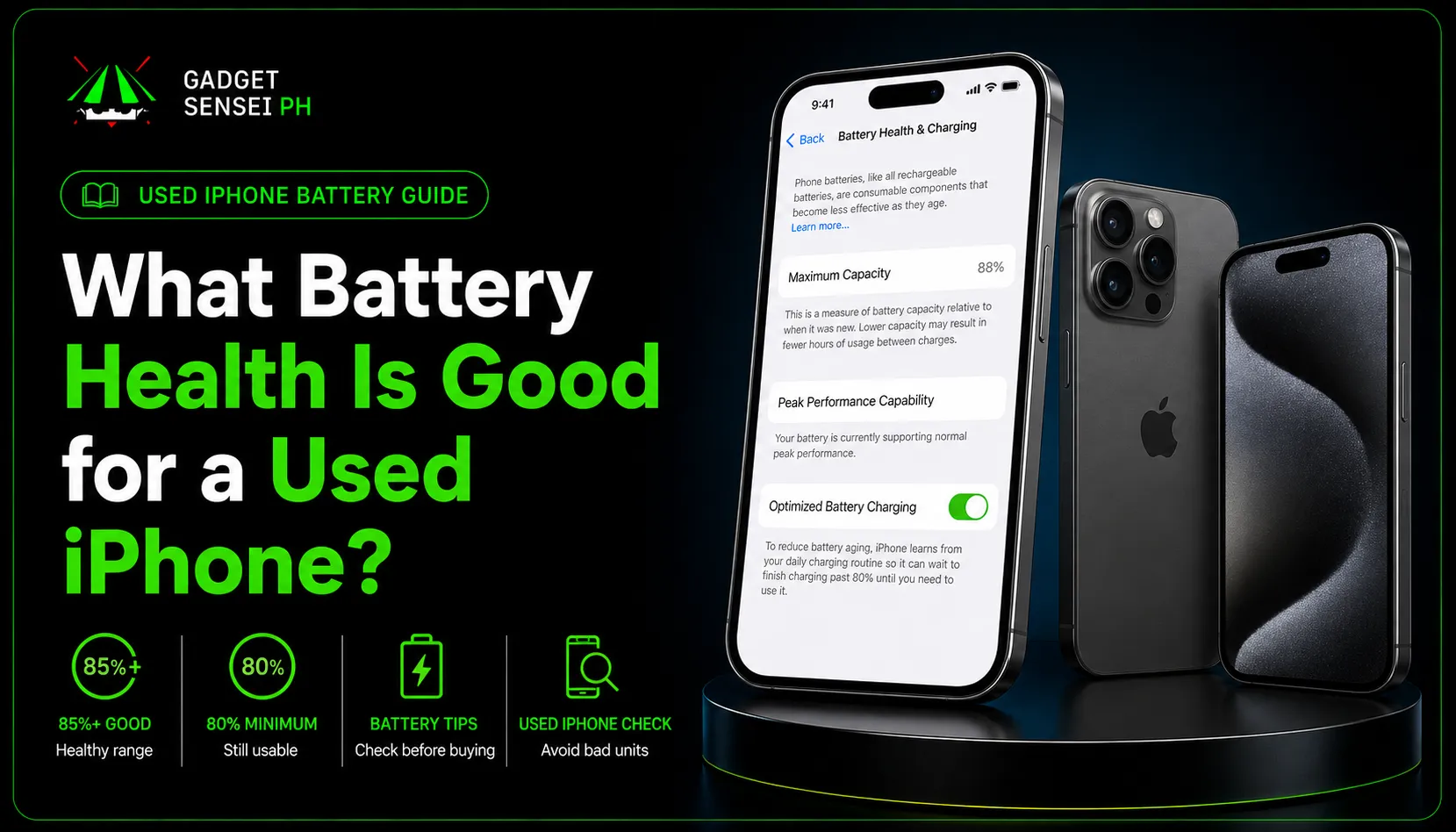
Buying a used iPhone can be a smart choice, especially if you want better value without paying full brand-new pricing. But before you buy any used, second-hand, or pre-owned iPhone, one of the most important things to check is the iPhone battery health percentage.
A second-hand iPhone can look clean outside, but the battery health can change the real value of the unit. Two iPhones may have the same model, same storage, and same color, but if one has 92% battery health and the other has 78%, they should not be priced the same.
This is why knowing the good battery health for iPhone buyers is important.
Battery health affects daily battery life, charging habits, performance, and whether you may need a battery replacement soon. If the battery health is already low, the phone may drain faster, need charging more often, or feel less reliable during school, work, travel, gaming, or online selling.
Used iPhone buyers should not only check price and appearance. Battery health is one of the biggest things to check before buying because a cheaper iPhone is not always the better deal if the battery health is too low.
This guide will help Filipino buyers understand what battery health is good, okay, risky, or bad when buying a used iPhone.
What Battery Health Is Good For A Used iPhone?
For a used iPhone, 90% and above is very good, 85% to 89% is still good for most buyers, and 80% to 84% can still be acceptable if the price is lower.
If the iPhone battery health is below 80%, it is usually better to expect shorter battery life or prepare for a battery replacement.
90% To 100%
Excellent for a used iPhone.
85% To 89%
Good for most buyers.
80% To 84%
Acceptable only if the price is fair.
Below 80%
Risky unless battery replacement is planned.
Simple guide: aim for 85% and above for normal use, 90% and above for better peace of mind, and only consider 80% to 84% if the unit is clearly discounted and properly checked.
iPhone Battery Health Percentage Guide for Used iPhones
Here is a simple buying guide for used iPhone battery health.
| Battery Health | Meaning For Used iPhone Buyers | Buying Advice |
|---|---|---|
| 95% to 100% | Excellent condition | Great if price is still fair |
| 90% to 94% | Very good | Safe range for most used iPhone buyers |
| 85% to 89% | Good | Still okay for daily use |
| 80% to 84% | Usable but weaker | Buy only if discounted |
| 75% to 79% | Battery may feel short | Prepare for replacement |
| Below 75% | Poor for most buyers | Avoid unless very cheap or battery will be replaced |
Battery health is only one part of the buying decision. Always check the unit condition, Face ID, screen, camera, iCloud status, charging behavior, and seller support before buying a used iPhone.
This table is not a strict rule for every buyer, but it is a good starting point.
For example, an iPhone with 84% battery health can still be usable if the price is clearly lower and the unit is clean. But if it is priced close to another unit with 89% or 90% battery health, the higher battery health unit is usually the better choice.
What Does iPhone Battery Health Mean?
iPhone Battery Health shows how much battery capacity remains compared to when the iPhone was new. The number most buyers check is called Maximum Capacity.
If an iPhone shows 88% maximum capacity, it means the battery can hold less charge compared to when it was new. In normal use, this can mean shorter battery life between charges.
Apple explains that all rechargeable batteries are consumable components and become less effective as they chemically age. Apple also says maximum capacity measures battery capacity compared to when the battery was new, and lower capacity may result in fewer hours of use between charges.
There is also Peak Performance Capability. This tells you if the iPhone battery can still support normal performance. If the battery is weak, the iPhone may show messages related to performance management or battery service.
You can read Apple’s iPhone battery and performance guide if you want the official explanation from Apple.
For buying advice, just remember this: battery health is not just a number. It affects how long the phone lasts per charge, how reliable it feels, and whether the unit may need battery service soon.
Is 90% Battery Health Good for a Used iPhone?
Yes, 90% battery health is very good for a used iPhone.
For most buyers, this means the device should still offer reliable daily battery life, especially if the iPhone is not too old and does not show warning messages in Battery Health.
If you see a used iPhone with 90% to 94% battery health, that is usually a safe range. It does not automatically mean the unit is perfect, but it is a good sign.
A 90% Battery Health iPhone Is Good For:
- Students
- Daily users
- Commuters
- Online sellers
- Social media users
- Light gamers
- Work users
- Parents buying for students
A used iPhone with 90% battery health is usually a strong option for normal daily use, especially if the unit is also clean, tested, factory unlocked, and supported by the seller.
Still, do not buy based on battery health alone. Check the screen, Face ID, camera, iCloud status, charging port, signal, and physical condition too.
A 90% battery health iPhone with hidden issues is still not a good buy. But if the whole unit is clean, 90% and above is a strong battery health range for a used iPhone.
Is 85% Battery Health Good for an iPhone?
Yes, 85% battery health can still be good for a used iPhone, especially if the price is fair and the phone has no performance issues.
For many normal users, 85% to 89% is still okay for daily use. You can still use the phone for messaging, social media, browsing, video calls, school apps, work apps, photos, and normal daily tasks.
However, heavy users may notice shorter battery life compared to a unit with 90% and above.
You may notice the difference more if you:
Play games often
Use mobile data the whole day
Record many videos
Use TikTok, Facebook, or Instagram heavily
Commute long hours
Use the phone for online selling
Stay outside without easy access to a charger
So is 85 battery health good iPhone buyers should accept? Yes, but with the right price.
If the unit is clean, the price is fair, and the phone has no warning messages, 85% battery health can still be a good practical choice. But if the price is close to another unit with 90% battery health, the higher battery health unit is usually better.
Is 80% Battery Health Good for an iPhone?
80% battery health is still usable, but it is already a warning range for buyers.
If you are buying a used iPhone with 80% to 84% battery health, the price should be lower because you may need to replace the battery sooner.
This range can still be acceptable for:
Backup phone users
Light users
Buyers on a tight budget
People who are okay charging more often
Buyers who already plan to replace the battery later
But for students, commuters, gamers, online sellers, and heavy users, 80% battery health may feel weak. You may need to charge more often, carry a power bank, or use Low Power Mode frequently.
If the iPhone is at 80% battery health and the seller is still pricing it high, be careful. At that point, you should compare it with other units that have better battery health or cleaner condition.
Simple answer: 80% battery health is usable, but not ideal. Buy only if the price makes sense.
What Battery Health Is Bad for a Used iPhone?
For most used iPhone buyers, below 80% battery health is already risky.
It does not always mean the iPhone is unusable, but it may mean shorter screen time, more frequent charging, weaker daily reliability, and possible battery service soon.
Avoid These Situations:
- Below 80% battery health with high price
- Battery health not showing
- Important Battery Message
- Unknown or non-genuine battery warning
- Fast battery drain during testing
- Unit that heats up quickly
- Seller who refuses battery testing
- Seller who cannot explain the unit condition
A low battery health unit is not always a bad deal, but the price, repair history, testing results, and seller explanation must make sense. If the battery details are unclear, choose another unit.
Apple notes that when battery health has degraded significantly, the Battery Health screen may show a message saying the battery’s health is significantly degraded, and users may experience more noticeable battery and performance issues.
If you are buying for school, work, business, or daily heavy use, it is better to avoid very low battery health unless the price is very low and you are ready for battery replacement.
How to Check Battery Health on iPhone Before Buying
Before buying a second-hand iPhone, always check battery health yourself or ask the seller to show it clearly.
Steps:
- Open Settings
- Tap Battery
- Tap Battery Health & Charging or Battery Health
- Check Maximum Capacity
- Check Peak Performance Capability
- Look for battery warning messages
- For iPhone 15 and newer, check cycle count if available
When buying a used iPhone, do not only check the battery percentage. Also look for warning messages, charging behavior, heat issues, and whether the phone drains too fast during testing.
Apple’s support guide says iPhone 15 models and later with supported iOS versions can show battery health, maximum capacity, cycle count, manufacture date, and first-use date in the Battery section.
You can also check Apple’s guide to checking battery health on iPhone.
When checking a used iPhone, do not only look at the percentage. Also look for warning messages. If the iPhone says the battery cannot be verified, or battery details may not be accurate, ask more questions before buying.
Battery Health Is Important, But It Is Not the Only Thing to Check
Battery health is important, but it is not the only thing that decides if a used iPhone is worth buying.
A used iPhone with 88% battery health can still be a better buy than a 92% unit if the 88% unit is cleaner, has original parts, no Face ID issue, no screen issue, better storage, and better pricing.
Check These Too:
- Face ID
- True Tone
- Screen condition
- Camera condition
- Speaker and microphone
- Charging port
- SIM signal
- WiFi and Bluetooth
- iCloud / Apple Account status
- Storage capacity
- Physical condition
- Warranty or store support
Battery health is important, but it is not the only thing to check. A good used iPhone should also have working Face ID, clean screen condition, clear iCloud status, stable signal, and reliable store support.
For example, a used iPhone 13 with 87% battery health, clean screen, working Face ID, good camera, and fair price can be a better buy than an iPhone 13 with 91% battery health but with a replaced screen and weak speaker.
The best used iPhone is not always the one with the highest battery health. It is the one with the best overall balance of battery, condition, storage, price, and seller support.
Should You Buy a Used iPhone With Replaced Battery?
A used iPhone with a replaced battery can still be worth buying if the replacement was done properly and the unit works normally.
Is A Replaced Battery Bad?
A replaced battery is not automatically bad. The bigger issue is unclear repair history, poor replacement quality, or a seller who cannot explain what was done to the unit.
- Battery health is not visible
- The iPhone shows a battery warning message
- The seller cannot explain the battery replacement
- The phone heats up quickly
- The battery drains fast during testing
- The unit charges slowly or inconsistently
- The price is too high for a repaired unit
A repaired iPhone can still be okay if the repair history is clear and the price is fair. But if the seller cannot explain the battery replacement or the unit behaves poorly during testing, it is safer to choose another unit.
If a battery was replaced properly and the iPhone works normally, some buyers may still accept it. But if you want less risk, a unit with clear battery health and no warning message is usually safer.
Always test charging, heat, battery drain, and performance before buying.
When Should You Replace an iPhone Battery?
You should consider iPhone battery replacement when the battery health is very low, the iPhone drains too fast, the device unexpectedly shuts down, or the Battery Health section shows that service is recommended.
This section is not mainly about iPhone battery replacement Philippines cost, because that topic deserves its own separate guide. But as a buyer, you should know that battery replacement may become part of the total cost if you buy a low-battery-health unit.
You May Need To Replace The Battery If:
- Battery health is below 80%
- The phone drains very fast
- The phone shuts down unexpectedly
- Battery service is recommended
- The phone heats up abnormally
- You need to charge several times a day
If a used iPhone already shows these signs, include possible battery replacement cost in your budget before buying. A lower price is only worth it if the total cost still makes sense.
If you are buying a second-hand iPhone with low battery health, do not only ask, “How much is the phone?” Also ask, “Will I need to spend on battery replacement soon?”
A cheap used iPhone is not always cheap if it needs repairs right away.
How to Maintain iPhone Battery Health After Buying a Used iPhone
After buying a used iPhone, you can still take care of the battery properly. You cannot stop battery aging completely, but you can reduce habits that make the battery degrade faster.
Tips To Maintain iPhone Battery Health:
- Avoid extreme heat
- Do not always drain the phone to 0%
- Use quality chargers and cables
- Turn on Optimized Battery Charging
- Avoid gaming while charging when possible
- Keep iOS updated
- Remove apps that drain battery in the background
- Use Low Power Mode when needed
- Avoid leaving the phone in hot places like cars or direct sunlight
Good charging habits can help slow down battery wear. Heat is one of the biggest things to avoid, especially when charging, gaming, or leaving the phone under direct sunlight.
Apple says Optimized Battery Charging is designed to reduce battery wear and improve battery lifespan by reducing the time the iPhone spends fully charged.
You can read Apple’s Optimized Battery Charging guide if you want to understand how it works.
For normal users, the best habits are simple: avoid heat, avoid using poor-quality chargers, and do not let the phone constantly drain to 0%.
Low Power Mode does not damage battery health. It simply reduces background activity and power usage when you need the battery to last longer.
Recommended Battery Health by Buyer Type
Different buyers have different needs. A backup phone user may accept lower battery health, but a gamer or student who stays outside all day should aim higher.
| Buyer Type | Recommended Battery Health |
|---|---|
| Heavy Gamer | 90% and above |
| Student | 85% and above |
| Online Seller / Content Creator | 88% and above |
| Casual Social Media User | 85% and above |
| Backup Phone User | 80% and above can be okay |
| Buyer Who Does Not Want Repairs Soon | 90% and above |
| Buyer On Tight Budget | 80% to 84% only if price is lower |
The better battery health range depends on how you use the phone. Heavy users should aim higher, while casual or backup phone buyers may accept lower battery health if the price is fair.
If you are a student, 85% and above can still be okay, but 90% and above is better if you have long school days.
If you are an online seller, content creator, or heavy mobile data user, try to choose a unit with stronger battery health because your phone is part of your daily work.
If you are buying a backup phone, 80% to 84% can be acceptable if the price is low enough.
What Battery Health Should You Accept When Buying From Gadget Sensei PH?
At Gadget Sensei PH, buyers should check the actual unit condition, battery health, storage, and price before deciding.
The best choice is not always the highest battery health alone. The better choice is the unit with the best overall balance of condition, battery, storage, price, and value.
When Comparing Two Pre-Owned iPhones, Ask:
- What is the battery health?
- What is the storage capacity?
- What is the unit condition?
- Is Face ID working?
- Are cameras working?
- Is the screen clean?
- Is the unit tested?
- Is there warranty or support?
- Is the price fair for the condition?
Do not compare pre-owned iPhones by model name alone. The better deal depends on battery health, storage, condition, working features, warranty support, and whether the price matches the actual unit.
Gadget Sensei PH’s pre-owned iPhone collection states that buyers can compare available products and that device details may include model, storage, color, battery health, physical condition, screen condition, camera performance, Face ID or Touch ID status, charging function, inclusions, and warranty support.
If you are comparing used iPhone models, you can check available pre-owned iPhones from Gadget Sensei PH and choose based on your budget, preferred model, storage, and condition.
Best Used iPhone Models to Consider if Battery Health Is Good
Battery health matters a lot, but the iPhone model still matters too. A newer model with good battery health is usually safer for long-term use than a much older model with weak battery health.
Here are good used iPhone models to consider if battery health is still strong.
iPhone 13
The iPhone 13 is a strong value pick if battery health is still good. It is reliable for daily use, students, social media, photos, videos, and normal gaming. Gadget Sensei PH lists the iPhone 13 Pre-Owned starting at ₱18,490, with battery health and condition confirmed through message before checkout.
You can view iPhone 13 pre-owned options.
iPhone 14
The iPhone 14 is a better long-term pick if your budget allows. It feels newer, has strong daily performance, and is a good option for buyers who want better overall value than older models. Gadget Sensei PH lists the iPhone 14 Pre-Owned starting at ₱23,490, with buyers advised to ask for current battery health.
You can check iPhone 14 pre-owned availability.
iPhone 13 Pro Max
The iPhone 13 Pro Max is good for buyers who want a big screen, ProMotion, Pro camera features, and stronger battery-focused usage. Gadget Sensei PH lists the iPhone 13 Pro Max Pre-Owned starting at ₱27,490 and notes that available storage, colors, condition, battery health, and inclusions may vary depending on stock.
You can see the iPhone 13 Pro Max pre-owned option.
Older models
Older iPhones can still be worth checking if the price and battery condition are fair. But if the battery health is low, the model is old, and the price is close to a newer iPhone, it is usually better to choose the newer option.
What Battery Health Is Good For A Used iPhone?
For most buyers, 85% and above is a good battery health range for a used iPhone, while 90% and above is ideal.
A used iPhone with 80% to 84% battery health can still be acceptable if the price is lower, but you should expect shorter battery life compared to higher battery health units.
A used iPhone with below 80% battery health should usually be treated as a unit that may need battery replacement soon.
90% And Above
Best range for peace of mind.
85% To 89%
Good for most normal buyers.
80% To 84%
Accept only if discounted.
Below 80%
Risky unless replacement is planned.
Always check battery health, physical condition, Face ID, screen, camera, charging port, iCloud status, and seller support before buying.
Compare Pre-Owned iPhone Options →Frequently Asked Questions
What battery health is good for a used iPhone?
For a used iPhone, 85% and above is generally good, while 90% and above is ideal. If the battery health is 80% to 84%, the phone can still be usable, but the price should be lower.
Is 85% battery health good for an iPhone?
Yes, 85% battery health is still good for many used iPhone buyers. It may not last as long as a 90% battery, but it can still be fine for regular daily use if the unit is priced fairly.
Is 80% battery health good for an iPhone?
80% battery health is usable, but buyers should be careful. At this level, the iPhone may need charging more often, and battery replacement may be needed sooner.
Should I buy a used iPhone below 80% battery health?
It is usually better to avoid a used iPhone below 80% battery health unless the price is very low or you already plan to replace the battery.
How do I check iPhone battery health before buying?
Go to Settings, tap Battery, then tap Battery Health & Charging or Battery Health. Check the Maximum Capacity, Peak Performance Capability, and any battery warning messages.
Can iPhone battery health go back to 100%?
Battery health usually does not go back to 100% unless the battery is replaced. Normal battery health decreases over time as the battery chemically ages.
Does Low Power Mode damage iPhone battery health?
No, Low Power Mode does not damage battery health. It helps reduce background activity and power usage when you need longer battery life.
When should I replace my iPhone battery?
You should consider replacing the battery if battery health is very low, the iPhone drains too fast, shuts down unexpectedly, or shows that battery service is recommended.